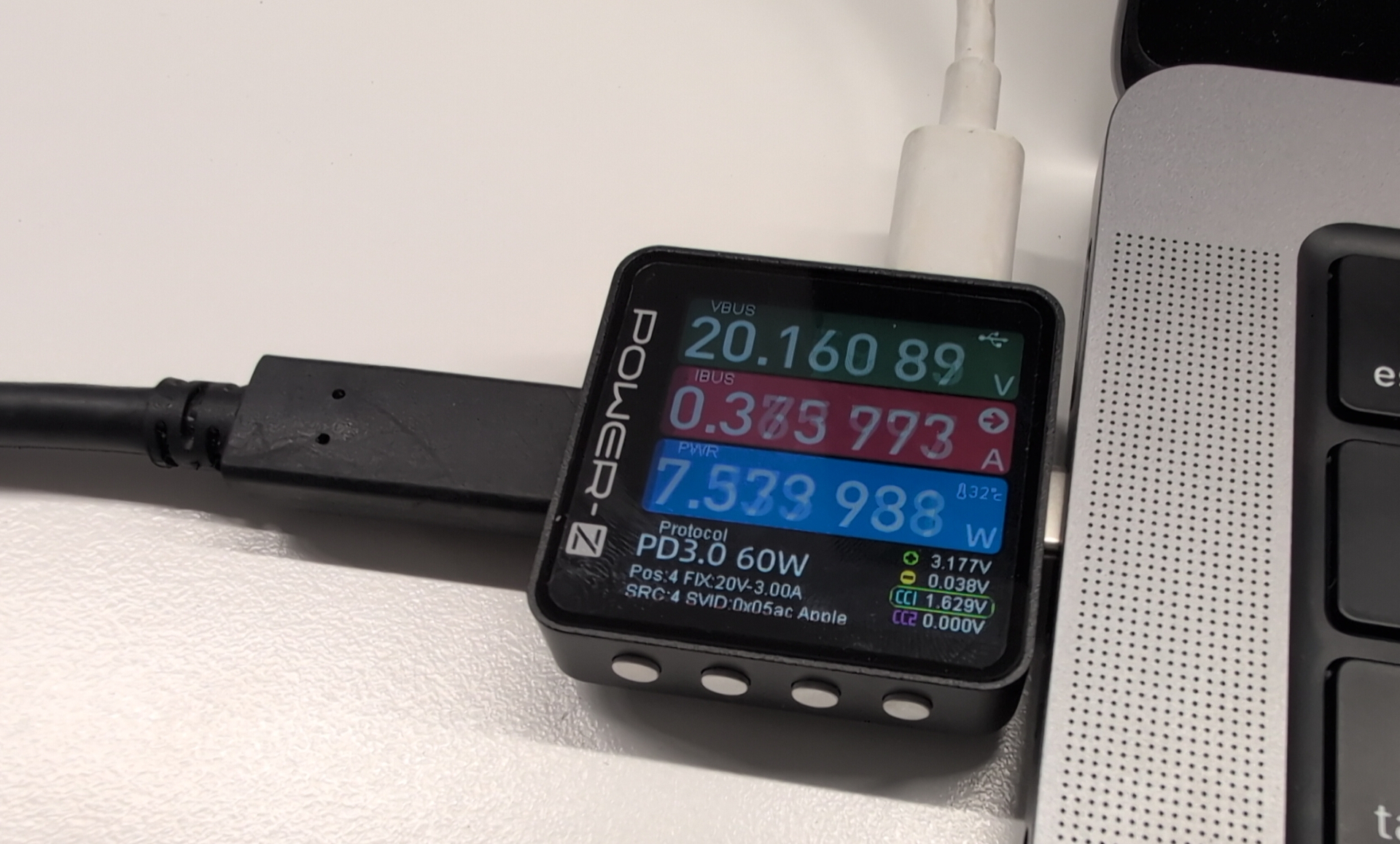
I got this Power-Z measurement device the other day.. what is it, and how does it fare against the other measure methods? My last comparison was in 2022.
The contenders
I have some sources for measurements here:
- The Power-Z USB meter, a small device which can be put ‘in the middle’ of a power connection. It has a USB-C power input, USB-C power output, and a third connector over which I can retrieve the metrics. For the retrieval, a Linux driver exists - directly in the upstream kernel.
- Switchbot smartplug 100V, running Tasmota firmware. This one hooks into the wlan and allows measurements via API. For the Tasmota, we also are getting multiple ‘consumed power’ metrics back, not just one. Which one is right?
- RAPL: these metrics are available on most modern x86 systems.
- Macbook Pro M2 internal sensors, I retrieved data from these via Asahi Linux on the system.
Measure procedure
Like in earlier setups, I used 2 systems:
- The observer: this one runs my Python scripts which are performing the tests. pmlogger is gathering metrics and archiving them into files. Smartplug and Power-Z are queried directly.
- The system under test
With this setup, I did run multiple workloads. First one just ‘idle’, the other workloads putting the system under load, keeping up to 8 cpu cores busy. Like in past tests, these were loops which were uncompressing data. This time, we do not care about the power efficiency, but how much the measured metrics divert from each other.
Let’s look at the results, based on measurements with 3 compute devices.
Thinkpad L480
This is an oldish Thinkpad, produced 2018, with 4 cores.

On the left, with 0 threads, we see the idle measurement. Clearly, the RAPL-MSR metrics on this old box are unusable, not increasing at all as we use up more power. The Tasmota stays always above the Power-Z.
SteamDeck
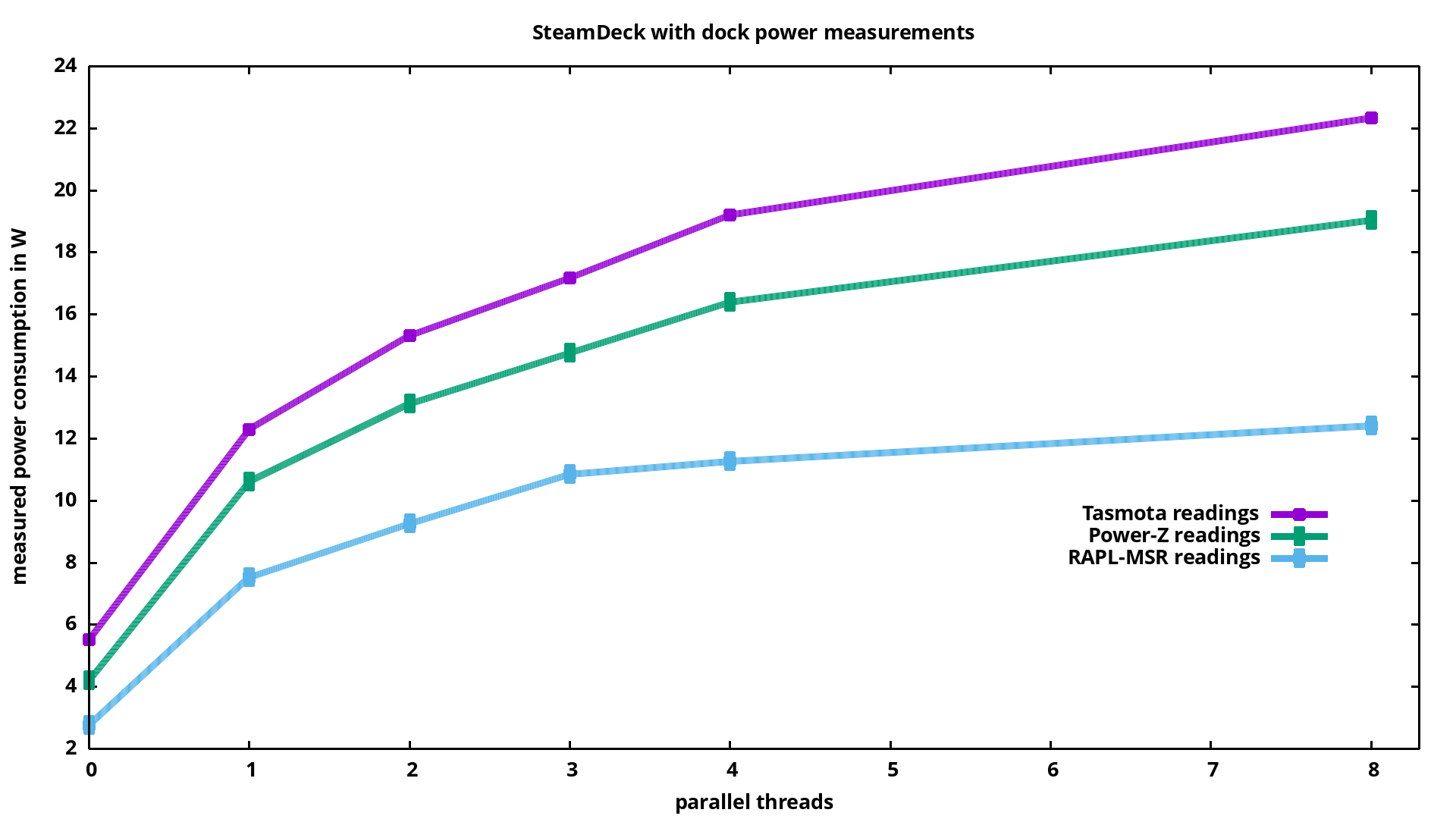
First, SteamDeck with dock.
Now without dock:
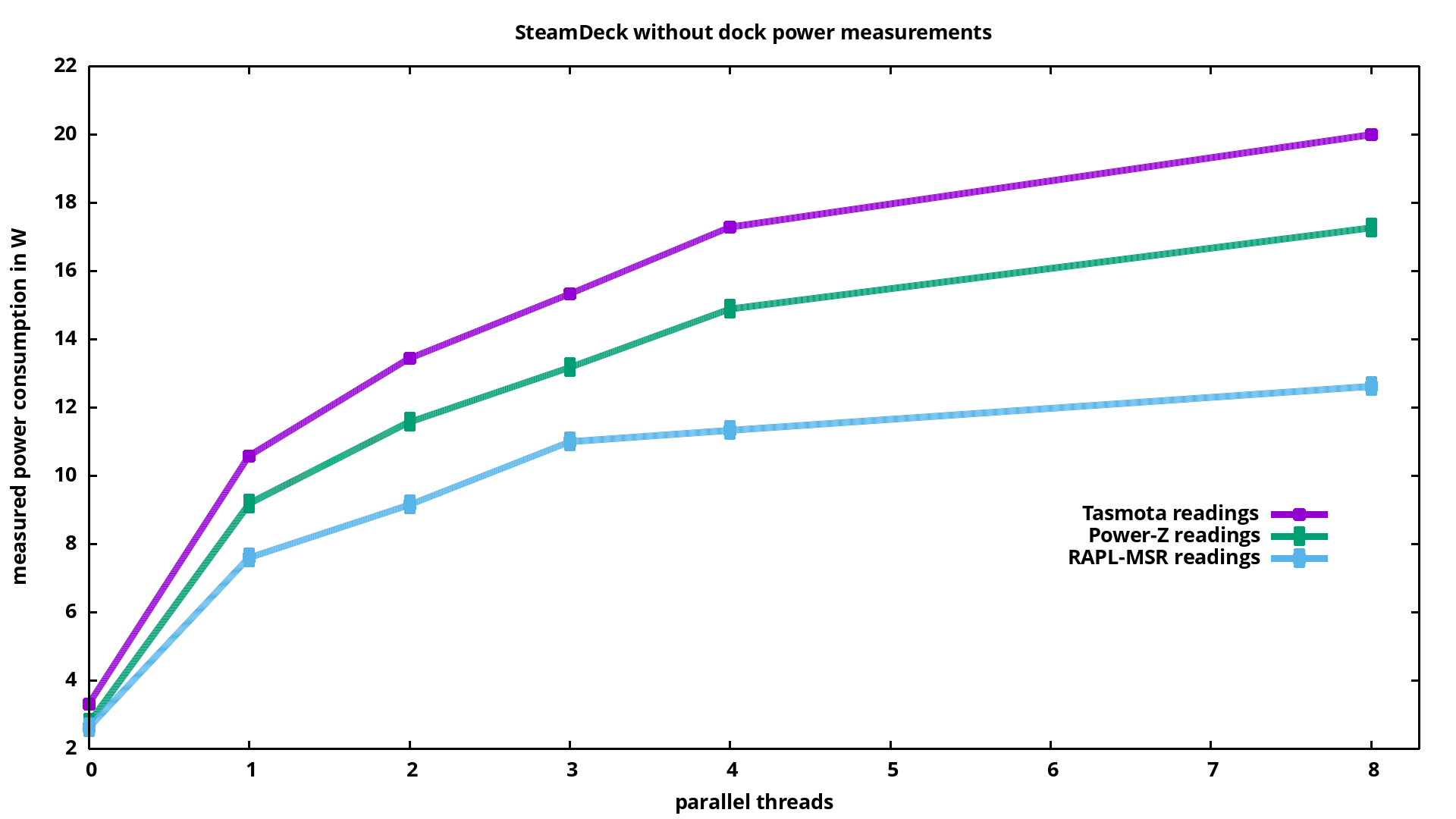
The dock has a rj45 network and an HDMI connector, we clearly see
how these use up extra power. Especially comparing the idle-values
on the left, we see that for measurements without dock the RAPL-
measurement is much more in line with the external sensors.
The smartplug is meant to cover consumptions up into kilo-Watt
areas, it’s good to see it not much diverging from the Power-Z
metrics. SteamDeck RAPL metrics are better than the L480
metrics, but stay way below what the Power-Z measures: for the
highest consumption, RAPL reports 73% of what Power-Z measures
from the outside.
Macbook pro M2
The Macbook pro M2 running Asahi Linux/Fedora 43:
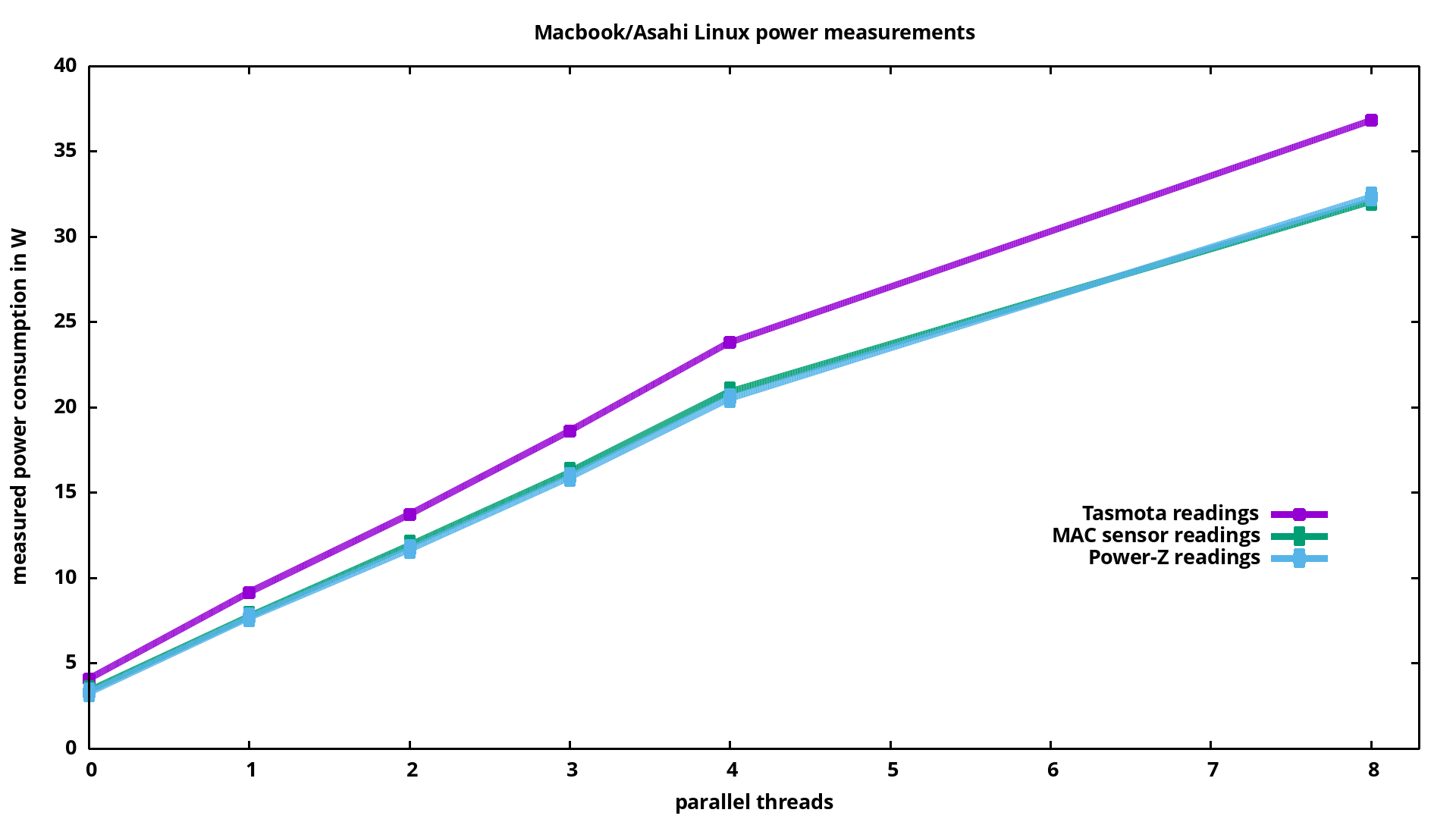
Nice! Apple has done a good job with these sensors.. matching up nicely with the Power-Z readings: there is just 2-3% difference!
The MacBook allows insights there as it exposes access to 3 relevant sensors:
- (1) is telling us with how much Watt the battery is drained (if it is used)
- (2) is input power consumption (strangely labeled “AC power”, but it’s PD3.0, DC power.
- (3) total system consumption
From looking at these, it seems like drain from battery vs. supply from external power supply (those metrics are in line with the Power-Z readings) are same.
Another interesting sensor of the Macbook pro M2 is the one called “Heatpipe power” in ’lmsensors’, the underlying sensor key is PHPC: this is an estimate of the heat energy being dissipated by the SoC.
PD3.0 supply from external is supplying 20V, and internal battery is ~12V. For a given workload, I see the same consumption over external supply vs. internal battery, so seems like efficiency for both voltages is identical.
Summary
Some years ago, with the first measurements, I was still not sure which measure methods I could trust. With the above results, the Power-Z looks really well. Also Apple has done a great job with their sensors!
Take aways this time:
- Smartmeter and RAPL are better than nothing, but Power-Z and internal Mac sensors are best.
- The Mac sensors are so nice, you could also use them to measure consumption of external USB devices you attach to the MAC.
- Although RAPL is off, it’s still good enough to compare the energy consumption caused by various workloads on the same system. If you have an x86 system, you could consider to compute a correction factor for RAPL with a precise consumption meter, and then use RAPL+correction to have better values in a setup without external meter.
I would like to look at RAPL on newer x86 systems, but the SteamDeck is the newest system here available.
Corrections? Questions? -> Fediverse thread