At the middle of last year, I got all the hardware together to do radio transmissions here from my room in the West of Tokyo. It just did not work, and took half a year to debug. This here is a small recap, for me to understand what I could have done better. I will also sprinkle in some tech details - might make it an interesting read for people loosely interested in the topic, and so the specialists can point out which details I did not capture correctly. I’ll try to hit just the right level of depth to make it interesting, but not too technical.
Let’s start with the hardware.
The antenna
The antenna is an ’exotic variant’ of a capacitor, the piece of electronics we often think of as 2 metal plates next to each other. The antenna I bought for use from my flat was a telescope antenna, 5.6m long when extended. That metal rod can be thought of as one of the 2 metal plates, and a counterpoise can be the other part.
When you receive a radio program, and use a telescope antenna, then you might have learned that it’s not very important if the antenna is full extended - but that’s just for receiving. For sending, this gets important: the antenna setup has to be well adjusted to the frequency with which you want to transmit. This antenna is sold as “designed for 14M-30MHz operation”.
The radio transmitter
HAM radio operators can build their own transmitters, Here in Japan, you also have then to get it certified by the authorities, to be sure that your transmittions are following the rules. I ordered a small transceiver which could be used on various frequencies between 50Mhz (6m band) and 1.8Mhz (160m band). You find these references to frequency (in Hz) and wavelength (in meter) everywhere, they are directly related: a signal at 1.8Mhz frequency has a wavelength of 160m.
By the way, while the QMX+ can send on basically all HAM bands between 6m and 160m, with the lowest level license in Germany, you can only send on 10m. The license also covers 2m and 70cm operation, but the device is not operating on these bands. With the smallest licsense in Japan, you can also send on these frequencies.
So now I got a shiny QMX+ transceiver here, and connected it with a 5m coax cable to the antenna. That’s it?
Receiving
For receiving, yes. The QMX+ not an analog transceiver, but all the signal handling is digital. You can connect headphones, select a frequency via knob, and can then listen to voice or morse code signals. When connecting a morse key, you can send morse code - but my morse skills do not yet allow that. My intended use for now: connect via USB-C to a Linux computer, and do digital communications over radio wave. One popular mode of communication is called FT8.
My flat is at the 7th floor of a steel frame building, with an
antenna inside the room the building is acting like a faraday cage
and ‘catching it all away’. Why are cellphones work nontheless?
Because the strength of the signal and distance to the cell tower
are tuned for this. Typical HAM radio communication aims at
communication further away. So, sticking the antenna outside the
balcony, I can receive morse code, and FT8 signals from other people.
Yay!
How to verify sending..
That was the state as of autumn last year. Receiving was fine, but not sending. How to try this, most straight forward way? To run the wsjtx software, setup antenna and cable so that I see that I can receive FT8 from other stations, and then to try to send by myself. FT8 allows for example to send messages ala “who can hear me? Please reply.” or to address specific stations whose signals I can see.
The addressing works with the HAM radio callsign we got assigned - so as soon as you see messages from someone, you see their radio name, can conclude on their country and can look them up. Just, nobody seemed to hear when I was sending. The QMX+ seemed to indicate that I was sendingm just noone did reply.
Searching for the issue: SWR
First check was a technical one, checking the Standing Wave Ratio, SWR. A bit simplified, the SWR ratio is a number which can for a setup tell us if the antenna is tuned well. If the SWR ratio is bad, the antenna is not radiating the transmission, and our transceiver can even be damaged. The QMX+ is really cool: it has a few knobs and buttons for direct control, but via USB-C it also allows to open a terminal, and offers menus! Via ‘screen’ or ‘minicom’ from Linux. On these menus, the QMX+ is also offering us to ‘swipe’ through frequency areas, send out at varying frequencies, and measure how much power is reflected. The result is shown as ASCII-art diagram, really nice. For the 6m or 10m areas, I got the setup into a state with a reasonable SWR of 1.5. For this, it was also important to attach a cable to the foot of the antenna, as ‘counterpoise’ (German: Gegengewicht). The cable was also put onto the balcony, it’s then basically acting as ’the other part of the capacitor’.
So that part of requirements for sending looked ok. Also, if the SWR is really high, the QMX+ is turning into a ‘I need to protect myself’-mode and stops sending. That’s clearls shown on the display.
I later also got a NanoVNA: a device which can get connected to the coax cable instead of the transceiver, and which will on a graphical display show you the SWR for various frequencies.
Getting third opinions: pskreporter
First approach was to get ‘further opinions’ on whether I’m sending something out or not: reports from others. Sites like pskreporter are really nice: on these, many contributors all over the globe report which stations they hear - and then you can look them up by callsign. Software wsjtx can also participate there: so now I could on that side see visually whose FT8 messages I was receiving. Neat! There are further pages like this.
More important, the page also confirmed that noone was receiving anything from me. Hm.. but the QMX+ seemed to send out..
Sniffing myself
Then I did setup another Thinkpad with Debian, and an RTL-SDR stick: with that I should be able to confirm if I see my own signal. I used software OpenWebRX+ before to decode FT8 data. It’s using wsjtx under the hood for the decoding, but that would segfault constantly. Using the wsjtx package from upstream, instead of the package from Debian Trixie repos, did not help either. I found a command line client to decode FT8, but then I discovered that FT8 decoding started to work despite the segfaults.
I thought I had seen my signal in the waterfall diagram on the monitor-system.. but I did not see my FT8 signal decoded. When looking at the frequency with the GQRX software, I saw that the QMX+ seemed to constantly send out a signal! When I tried to send, it would switch to a different frequency, then go back. This seemed to say “it’s sending!”, but I think now that I’m seeing something here just from the QMX+ directly, because the sniffing system is just 1m away. Not really a signal sent out.
Different antenna
Well, I anyway wanted to also get another antenna for portable operation: I did not have different results for my tests though. This is a cable antenna, so a cable to be hung down from the balcony, and also another cable as counterpoise attached.
Power consumption
I tried to consider power consumption: I got myself a USB-C to 12V-barrel adapter, with that I could power the QMX+ via USB-C. More important: I could use my Power-Z meter to confirm how much energy was consumed: consumption seemed to not go up, even though the device seemed to tell me it was transmitting! This made me focus more onto the transmitter itself.
My next step would now have been to attach a morse key, and send a short morse signal. People all over the world have webradio receivers on the internet for public access, for example receiverbook is a nice overview. Then I would use one nearby, tune to the frequency I have set, and should be able to verify if I see my signal.
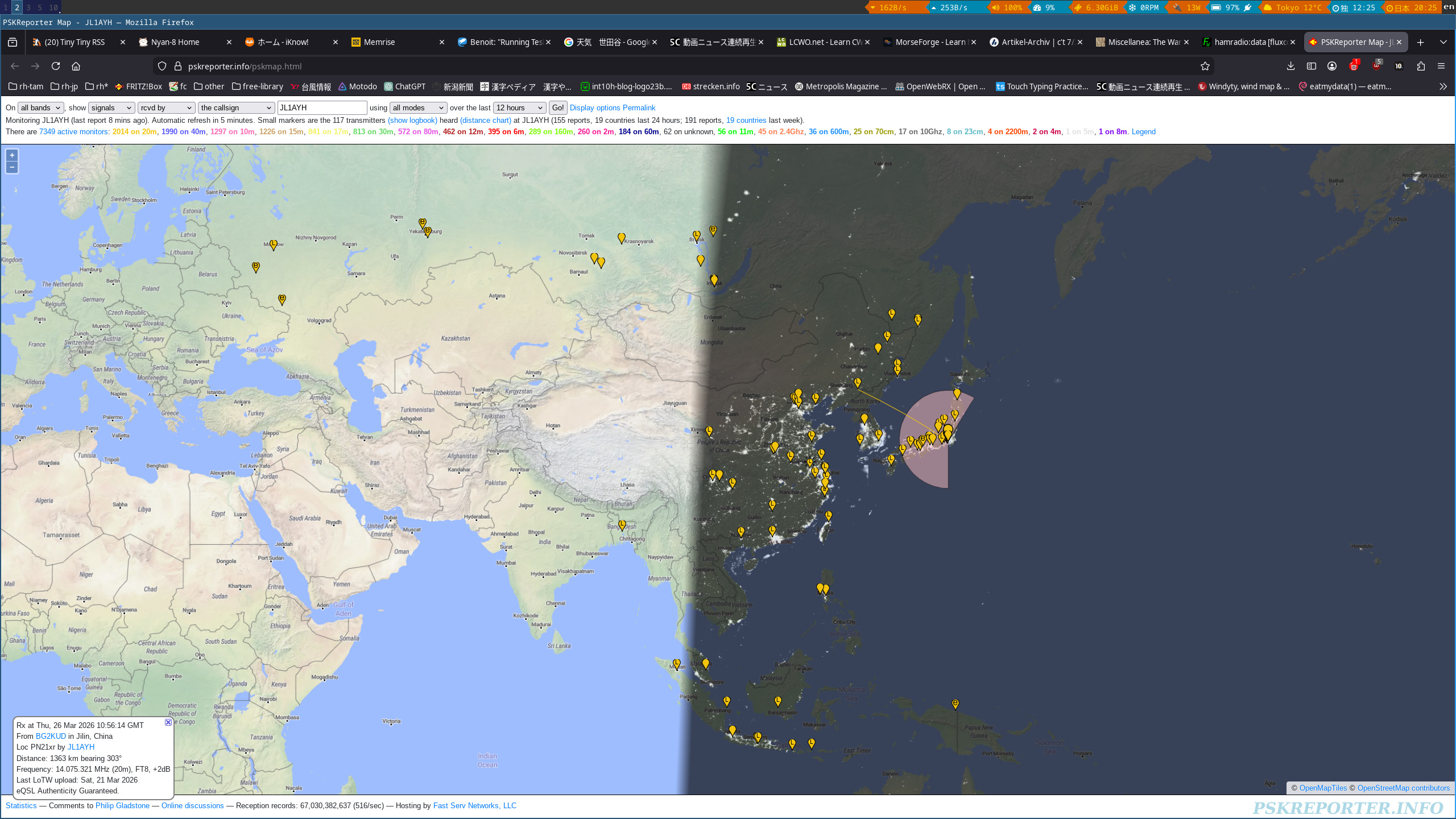
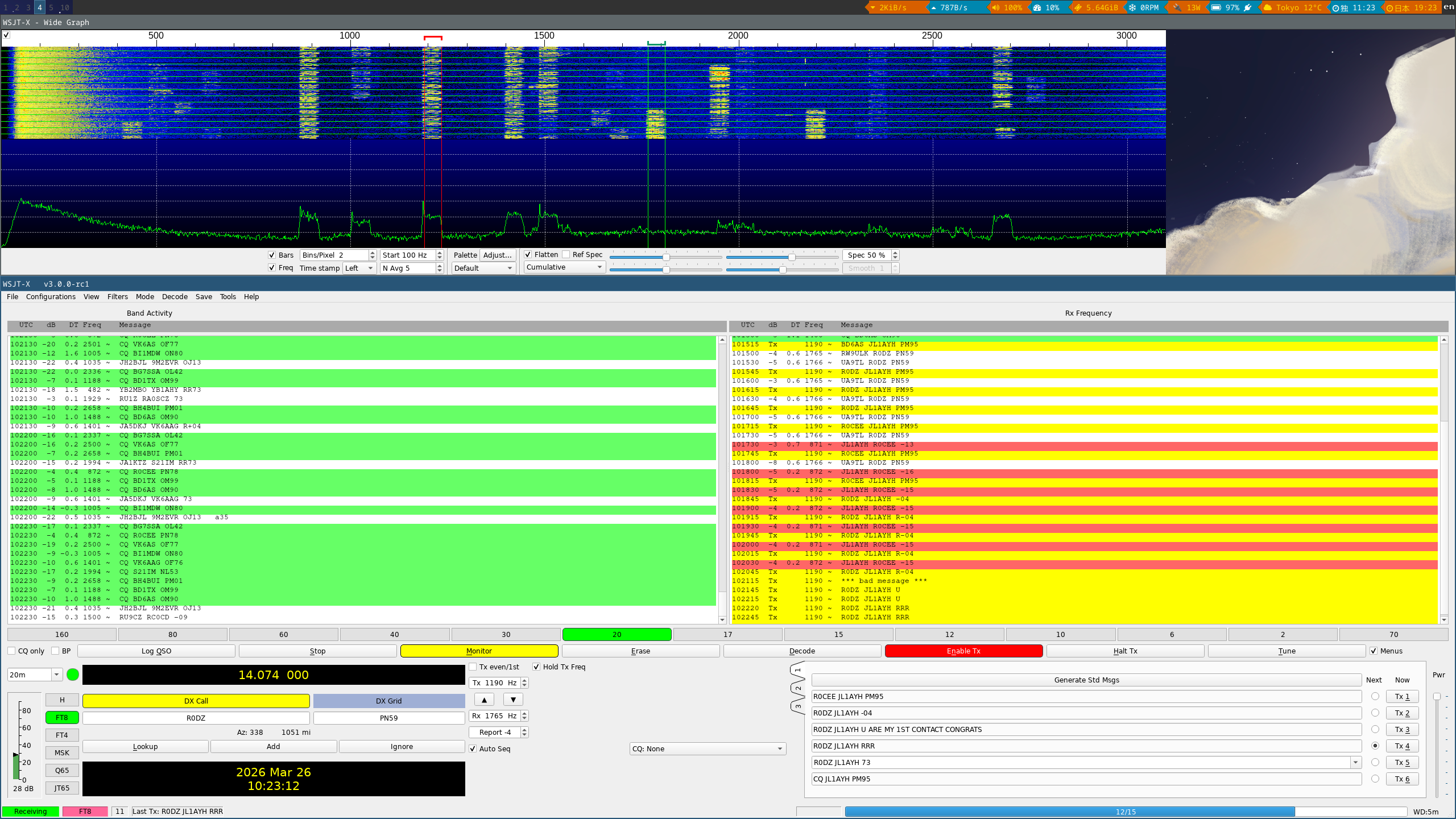
For that, I was reading the QMX+ manual again, and found the hint I was missing before: when trying to send something, I was seeing 2 square fields, a bit like bars visualizing signal strength, and my interpretation was that it’s sending. That was wrong. The computer software is communicating with the QMX+ via USB-C, over this the QMX+ is offering soundcard interfaces: for sending audio to the computer to interpret, and for receiving.
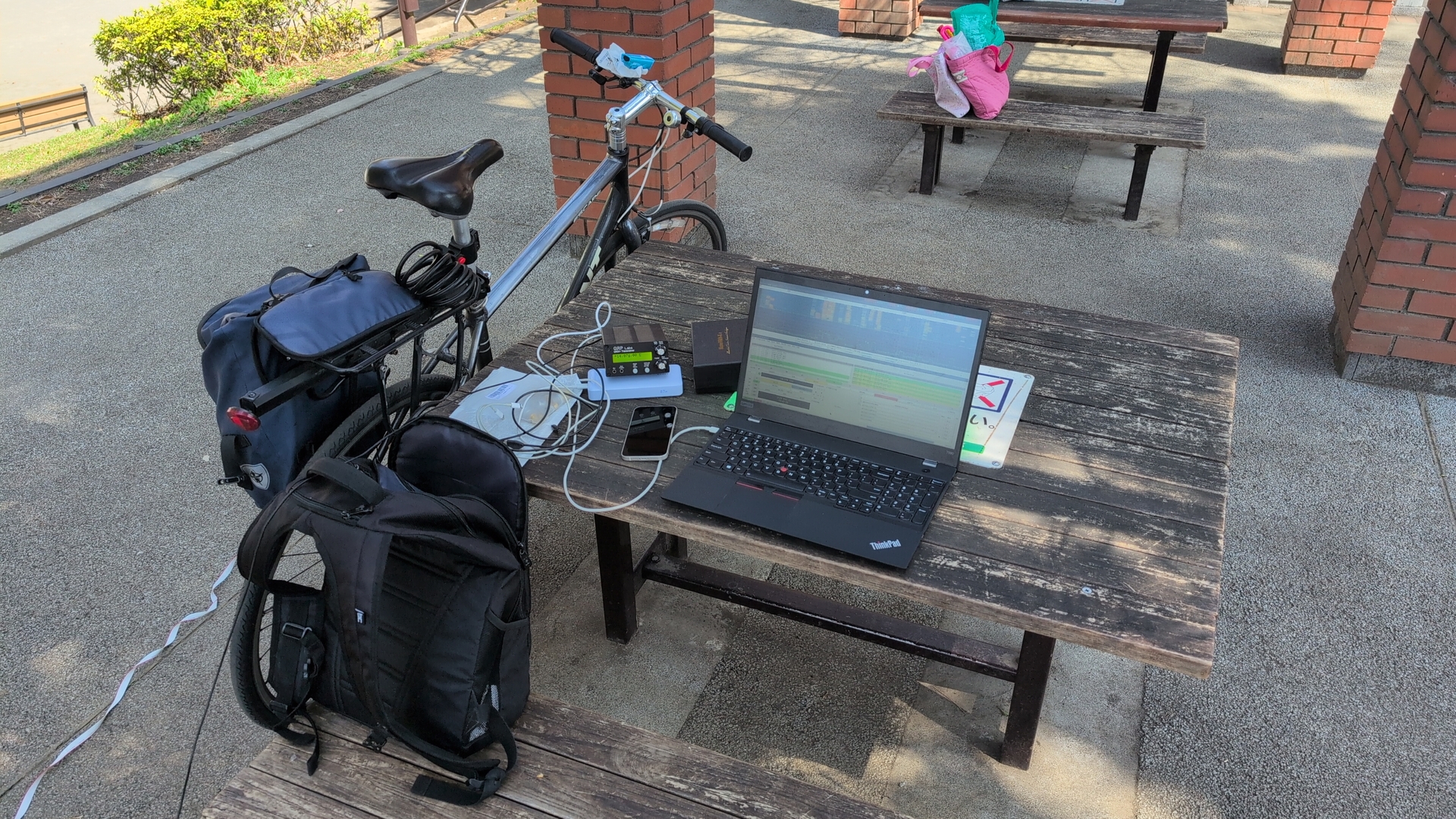


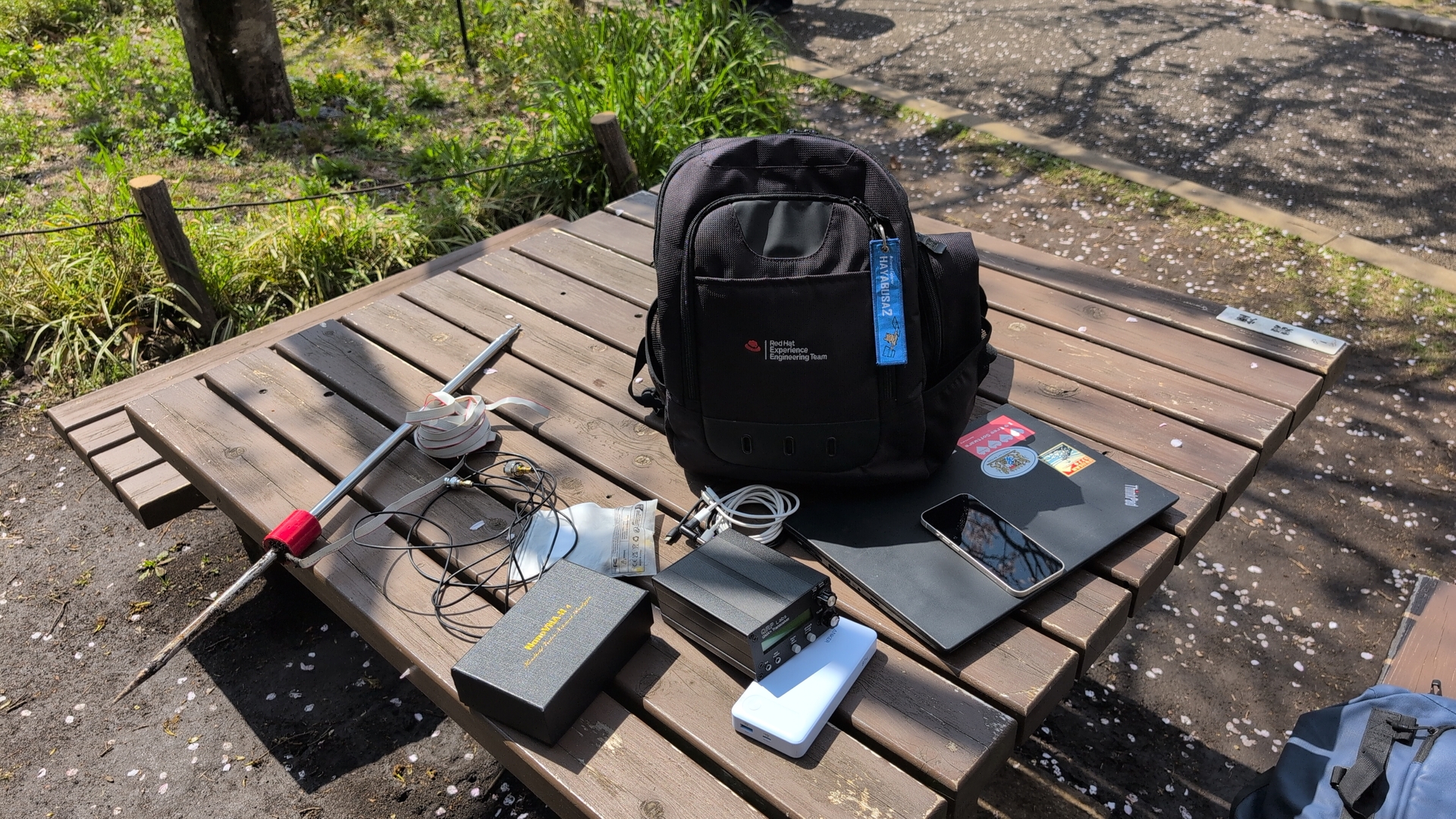
Resolving
The issue: that sound level of the computer sending to the QMX+ was set to low per default. Simply pulling that up made the signal getting sent out. Yes, this is also a reminder that manuals should be read properly. But at least I also learned a few things while debugging. :)
I’ve contacted QRP labs Hans Summers, he is considering a change in the user interface to more clearly show when the volume level is to low, for example with a flashing “E”.
The location here is still not good for sending, but then there are nearby parks, and season is great:
Corrections? Questions? -> Fediverse thread