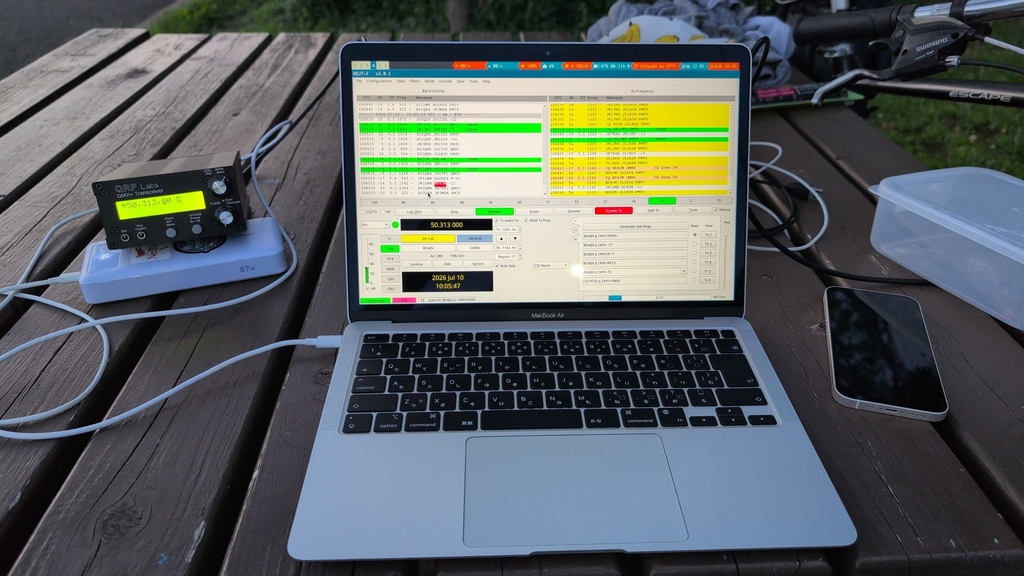
In July, I had my first POTA activation. POTA is ‘Parks On The Air’, an activity in the field of HAM radio. There are 2 roles:
- The Activator, someone going into a park, setting up radio equipment and making connections over the air. With at least 10 connections, it’s a ‘park activation’.
- The Hunter, folks doing connections to the Activator.
Both roles can be combined when ‘park to park connections’ are done. There are also SOTA (Summits On The Air) and much more. A map with the parks for POTA is here, and one for SOTA is here.
In this article, I’ll explain the POTA basics, what I find interesting about it, and the basics on the involved gear like antenna. One needs some level of understanding to get a first successful activation - but then ontop many rabbit holes are waiting to optimize.
What’s in it?
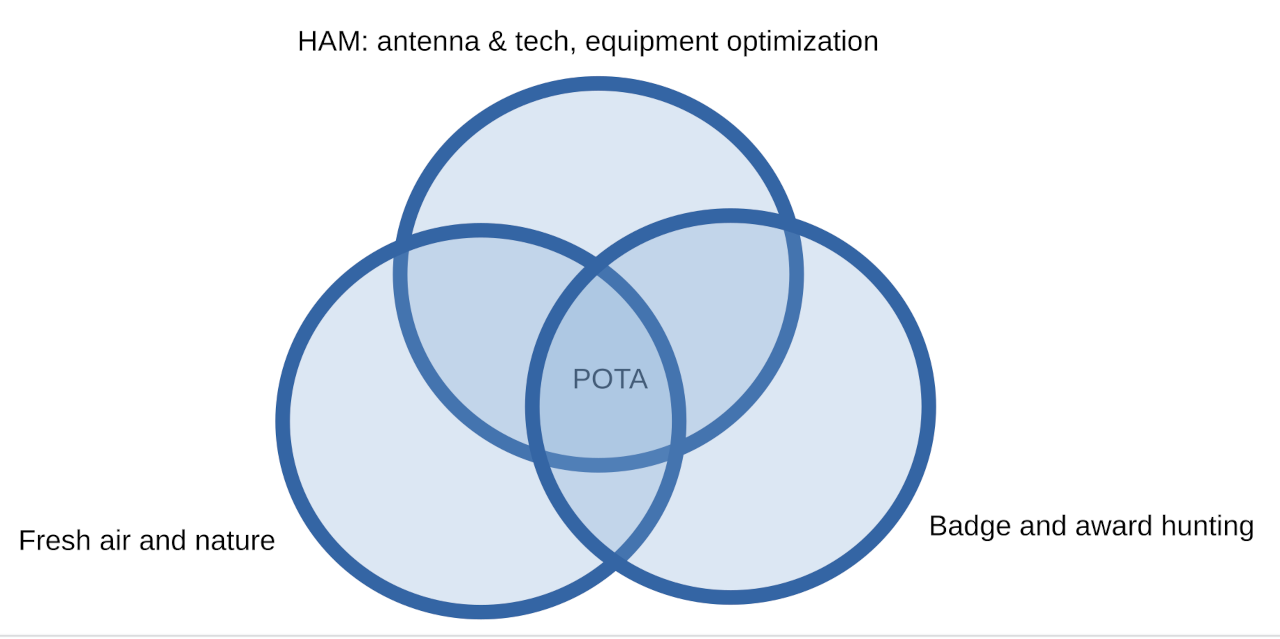
For me, it’s these:
- The incentive to go to the fresh air, and make radio connections. My flat in Tokyo also has bad conditions for radio connections, so going to parks also allows to get better conditions.
- Plain badge hunting: site pota.app for having statistics, allowing competing with others.
- Optimizing equipment over time.
License requirements
I think HAM radio license is required, already the smallest license of Germany or Japan are sufficient. In Germany, the N-class allows operation on 70cm/2m/10m wavelength area, and in Japan the 4th level class can be aqquired after 2 days of training and passing the exam. Japan 4th level allows to use almost all frequencies. Along with a license, one gets a worldwide unique callsign.
Let’s talk about the equipment.
Antenna
When you do radio communication from home, you rather lenghtly plan the best antenna, set it up, tune it, measure. For POTA sessions, you optimize more for easy deployment, and weight. I’m using 2 antennas:
- Comet HFJ-350: a 1.2m long telescope stick. The technical term is ’end fed quarter wave’: so the part radiating the waves is tuned to be one quarter of the wavelength with which we want to operate.
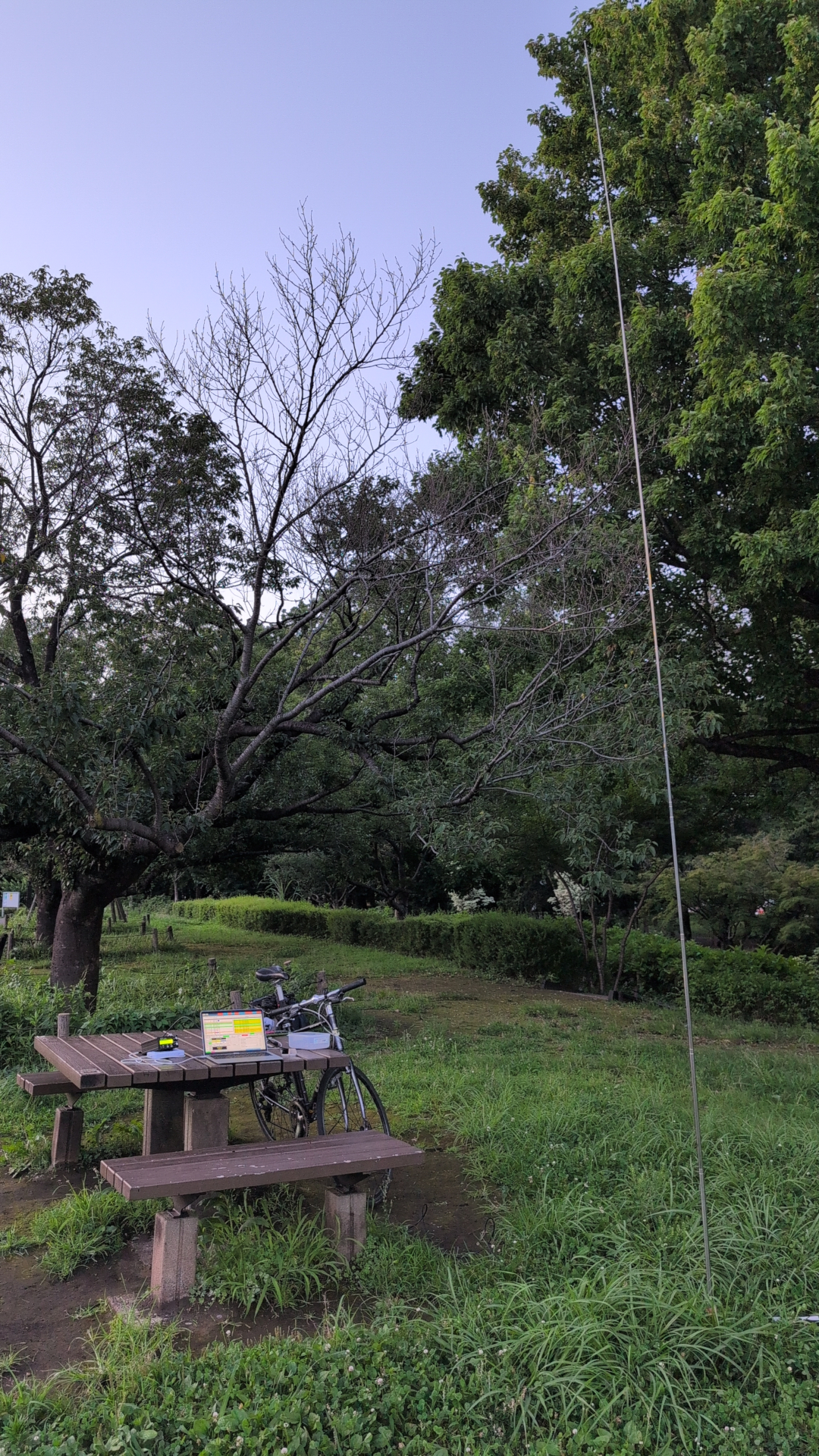
- A 5.6m long telescope stick antenna, an ’end fed half wave’. This one is longer, more heavy, not good for taking it to the mountain. As a half wave type, it has better radiation pattern than the other antenna.
Both antennas include a coil or a balun, required to match our feedline (a coax cable) to the antenna.
For radio connections, we choose a frequency to operate on. The frequency is directly related to the wavelength one is operating on: i.e. frequency 50Mhz means 6m wavelength. Frequency of 30Mhz means 10m wavelength. The wavelengths are also called bands, so ’the 6m band’ or ’the 10m band’. Both of my antennas can be used on multiple bands, for example I have used the Comet on the 10m, 15m, 20m and 30m bands.
Of course: also constructing own antennas is possible and not to hard. For example, a dipole antenna can be constructed from just 2 pieces of wire, each one quarter wavelength long, and a balun. Also for constructing: you can use a ‘recipe’ off the shelf for an antenna for a cerain band, build and then use it. Or start to experiment with own constructions: radio tech is around since more than 100 years, many docs are around to get started.
Some antenna related things I did not touch:
Mode of operation, and my Radio transceiver
We did not yet talk about our ‘way of talking’ over the air: POTA is quite flexible there. Depending on our mode of transmission, we can then choose the transceiver.
- Voice: We can bring in a microphone and speaker/headset,
and then with a radio transceiver make our connections.
Quite simple - but for this the connection to the remote station needs to be quite good: the remote signal needs to be much stronger than the noise level we hear, so the signal-to-noise level needs to be good. - Morce/CW: If the operator can operate morse code, then they can bring in a morse key/paddle, and the radio transceiver can be smaller than for ‘voice’. Also, morse can be operated over bad connections over which ‘voice’ would not be possible.
- Digital modes: Remember modems which we connected to the phone and the computer? Digital modes do this over the air. Modes like FT8 can be used, and they can operate under conditions when even Morse code is no longer possible. Downside: we need something to compute/to ‘speak’ the digital mode.
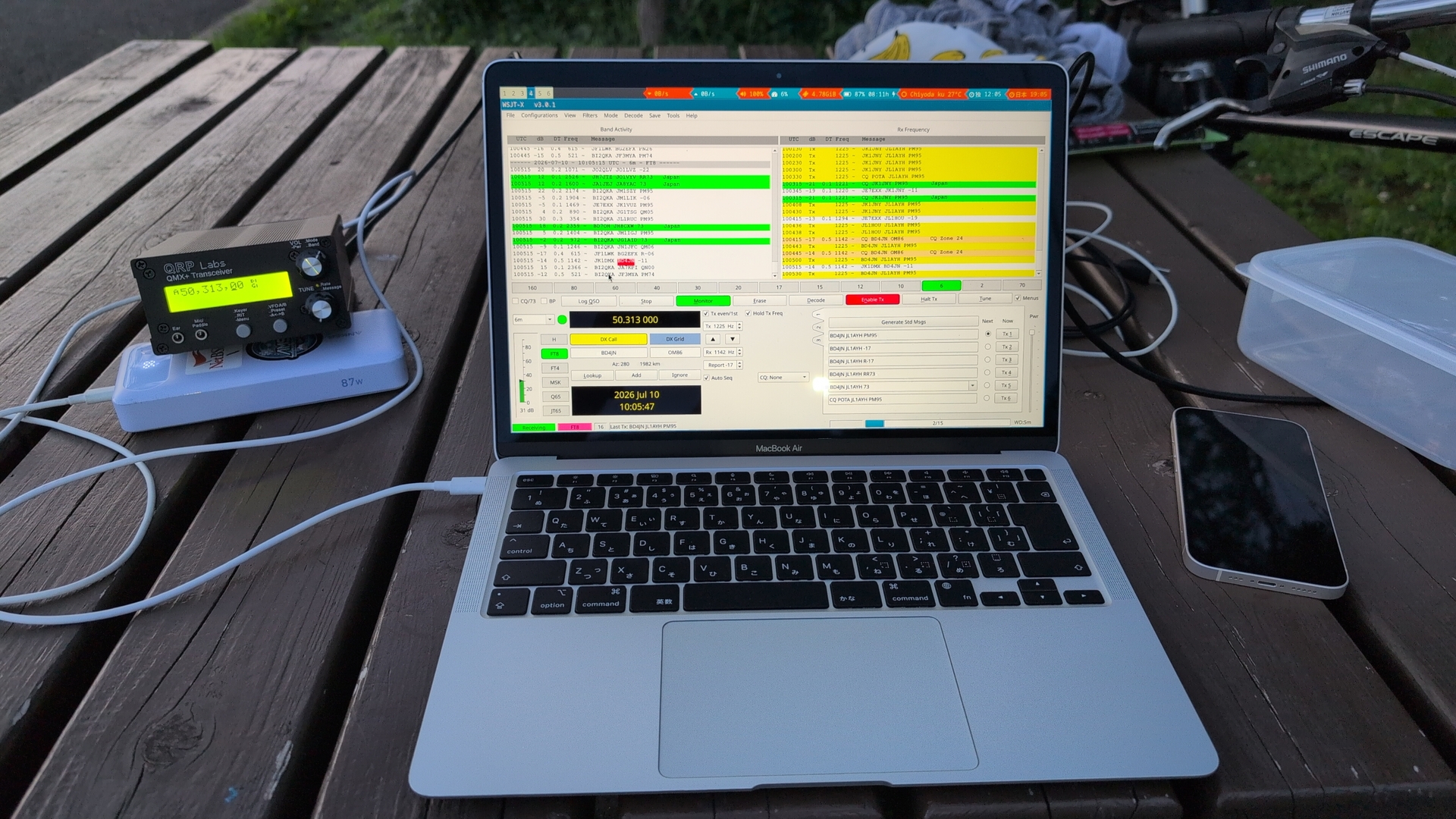
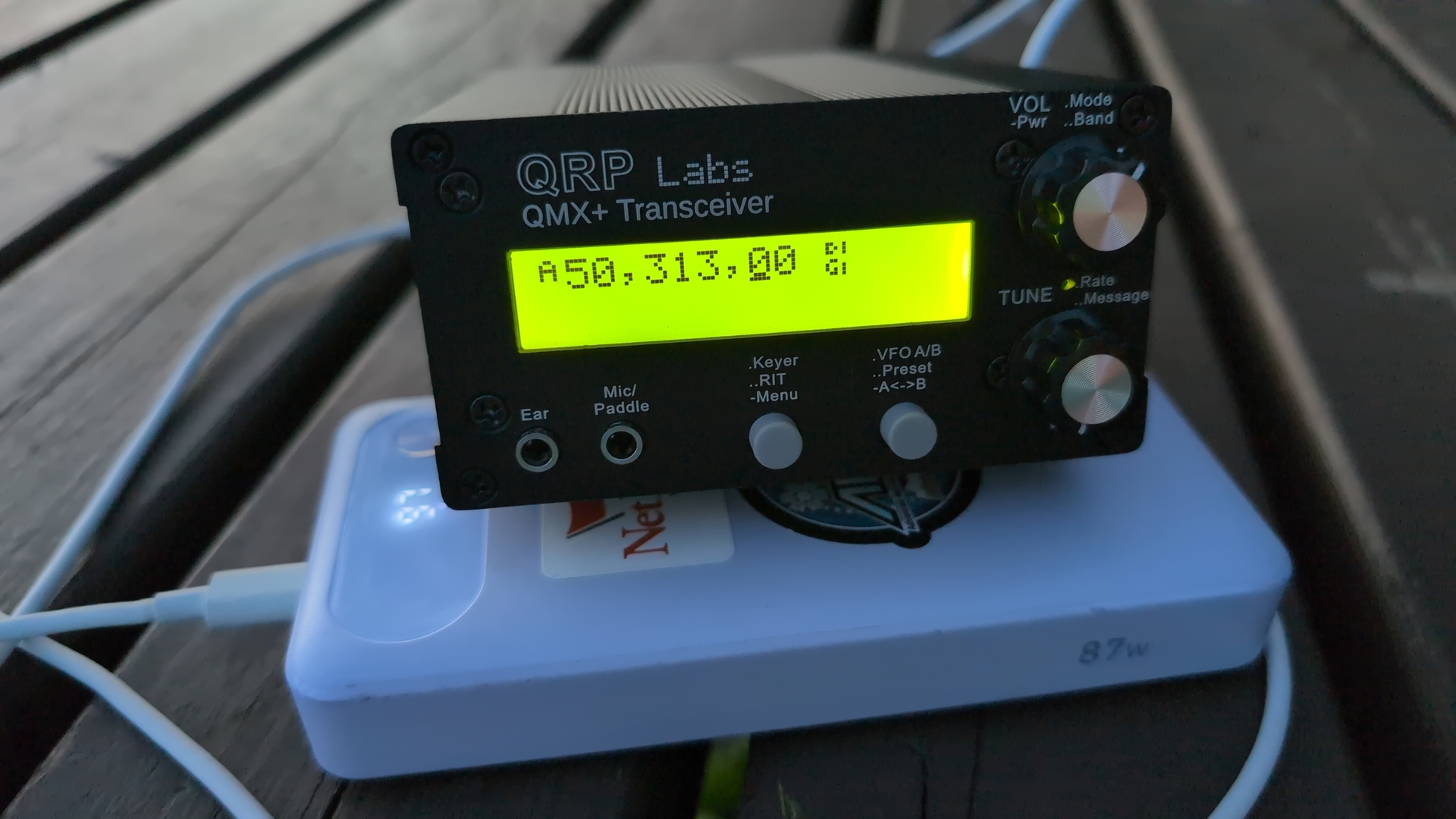
Of these three, I’m just doing digimodes right now. My radio transceiver is a QRP Labs QMX+: a device which can operate from 6m-160m on various bands. This means I also need some device to ‘speak’ the digi mode..
My Digital Mode devices research
I started out with a Thinkpad L480 in my flat, running Debian Linux and the WSJT software. Research of minimal digimode devices brought me to.
The Cardputer M5 is a quite small device, with ESP32 cpu and 512kb RAM, no MMU. It has a USB-C connector, with existing software it can make the QMX+ tranceiver speak ‘FT8’. I took this to 2 mountains for testing, and had one successful connection with a remote station - but decided this is really to minimal for me. Can’t select where to send, barely get an idea of how occupied the frequencies are.
Next option: Android mobile phone. I tried 2 softwares. Actually made one or 2 connections. The mobile phone has already a bigger screen than the Cardputer, allows more control. But still does not allow to select the sending frequency.
The option I settled with: Apple Air M1 with Asahi Linux. This is
a full blown laptop - but extremely small. Lightweight, long lasting
battery, screen which can be tuned up and is readable even in sunlight.
As for operating system: Linux is simply what I’m familiar with, and
the open source concept also nicely goes along with the HAM spirit of
sharing. Used Apple M1 Air are now sold for 5万円/350$, that’s very
reasonable.
My docs for setting up with disc encryption.
The other equipment
- A feedline: coax cable to connect radio transceiver and antenna.
- Counterpoise (Ger: Gegengewich): our antenna is a kind of ‘unusually shaped capacitor’, these electronical devices with 2 plates which get charged. Our wire or telescope metal are one half, and ideally we should connect a ‘counter part’ to span up the field, the ‘counterpoise’. This is usually one or multiple wires connected to the foot of the antenna. Mine is 3m long, single cable.
- Battery: my transceiver asks for 12V DC. I got a mobile battery pack offering ‘power delivery’ over USB-C connector. The transceiver has a barrel shaped connector, so I got a small adapter which is connected to the USB-C cable from the battery, is requesting 12V via Power Delivery, and supplies the transceiver.
- USB-C cable for transceiver <-> computer connection
The physical setup routine
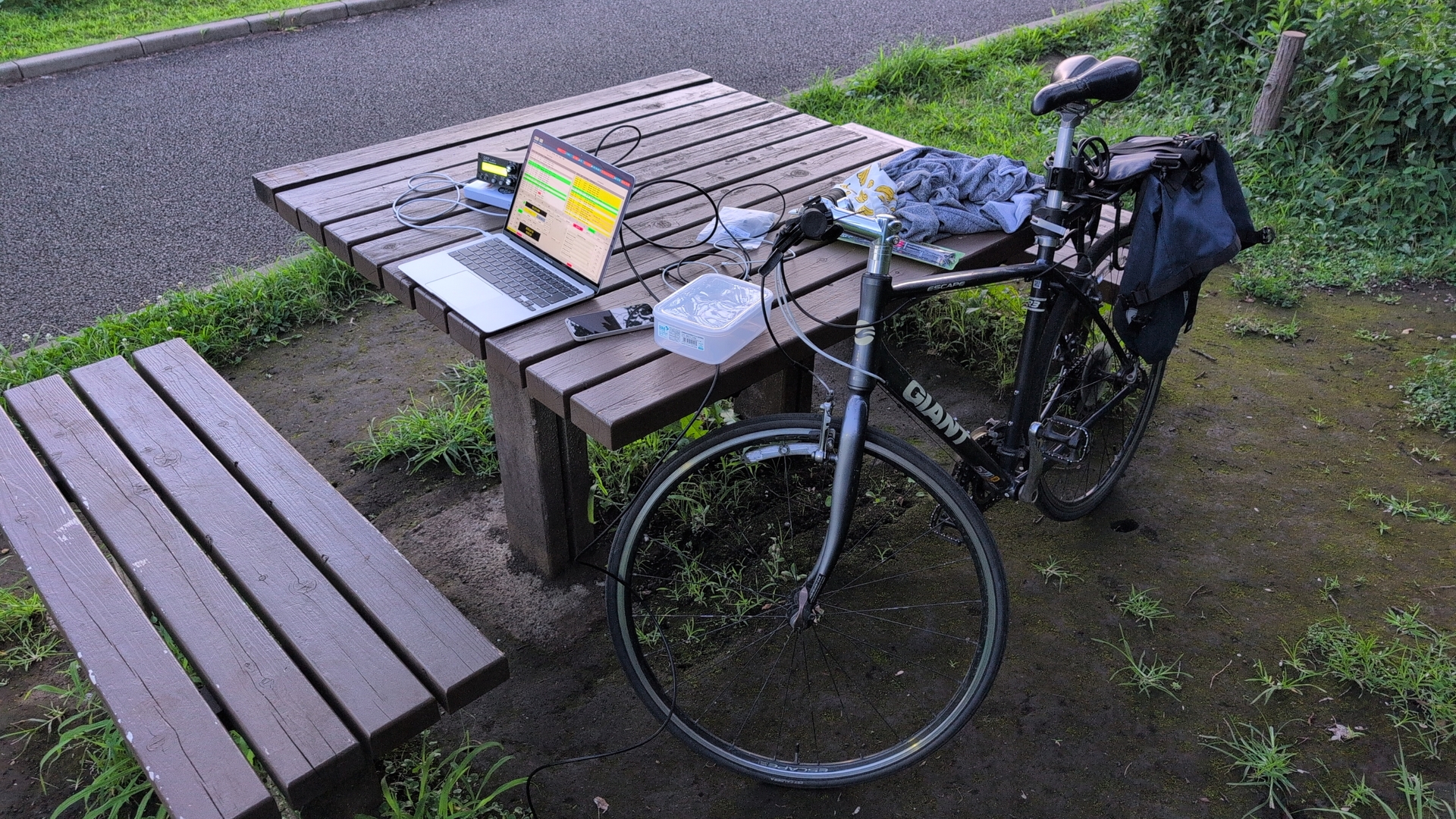
We’ve gone through the involved pieces, let’s look at a setup. I’m filling my equipment into a bag, attach it to the bike, and go to a park. We boot the computer, deploy antenna with counterpoise, connect antenna to the transceiver, power to the transceiver, and connect transceiver to the computer.
Next is to decide which band to operate on. Even if we have a fantastic antenna, the conditions for the propagation of radio waves are changing - like weather forecast. For a point in time, the conditions are also different for the various bands - sites like this one or this one give us hints. So let’s say we decide for the 20m band.
Next we should confirm the antenna is tuned to the band we want to operate on. My transceiver can only send out highfrequency with 5Watt electrical power, that’s called ‘QRP’, low ressource operation. Even with that: with a badly tuned antenna, that power will not be radiated from the antenna but sent back to the transceiver. My transceiver has just a small display, but allows me to login via serial console (‘minicom -D /dev/ttyACM0’ from Linux), and can then go over all bands and tell me which part of the sent out power is coming back. On that base, I confirm is the counterpoise is connected correctly, can adjust the telescope extents to tune the antenna. Following is the initial output, and then the tuning in making the antenna shorter. Cute ASCII-art!
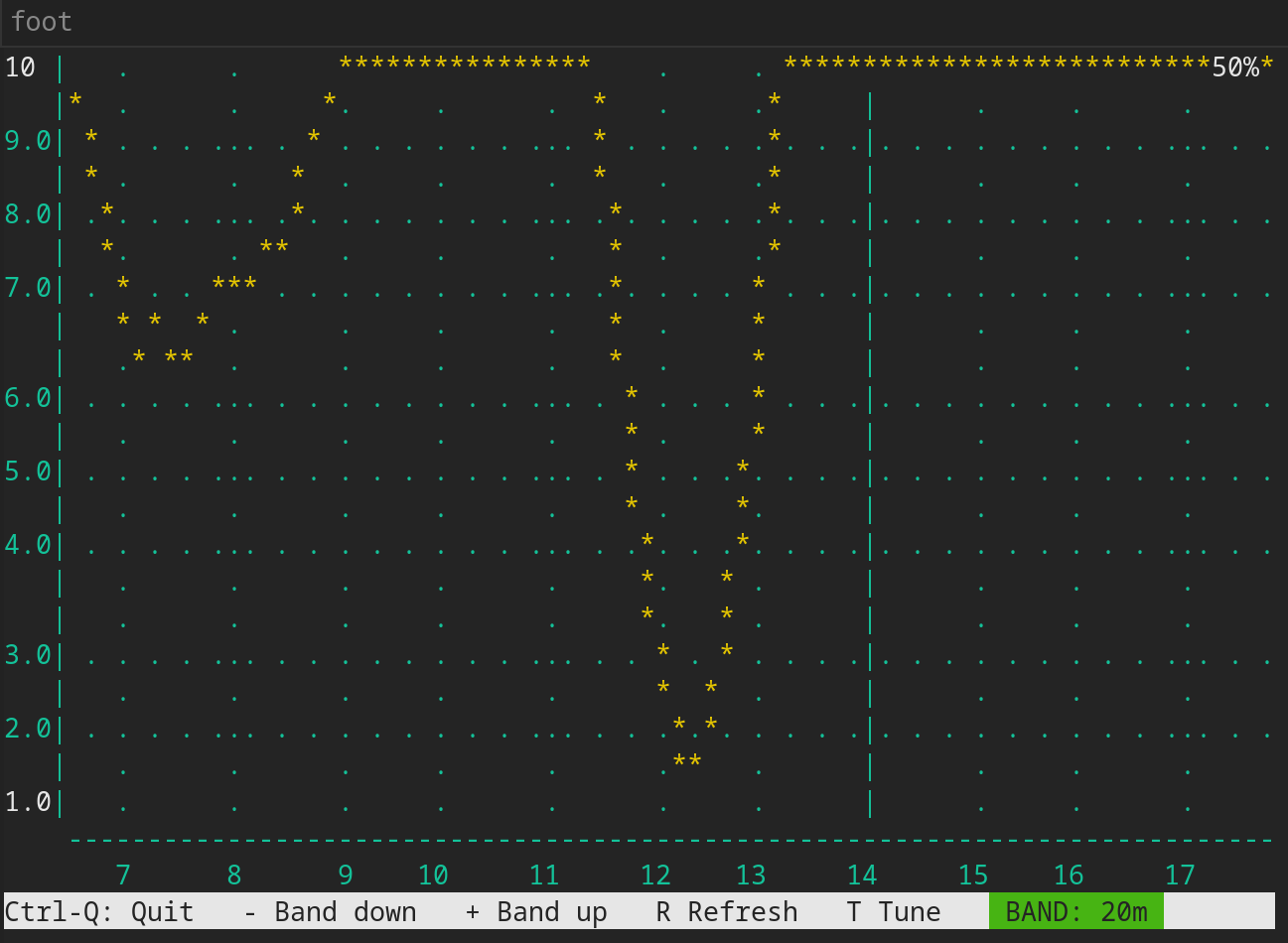
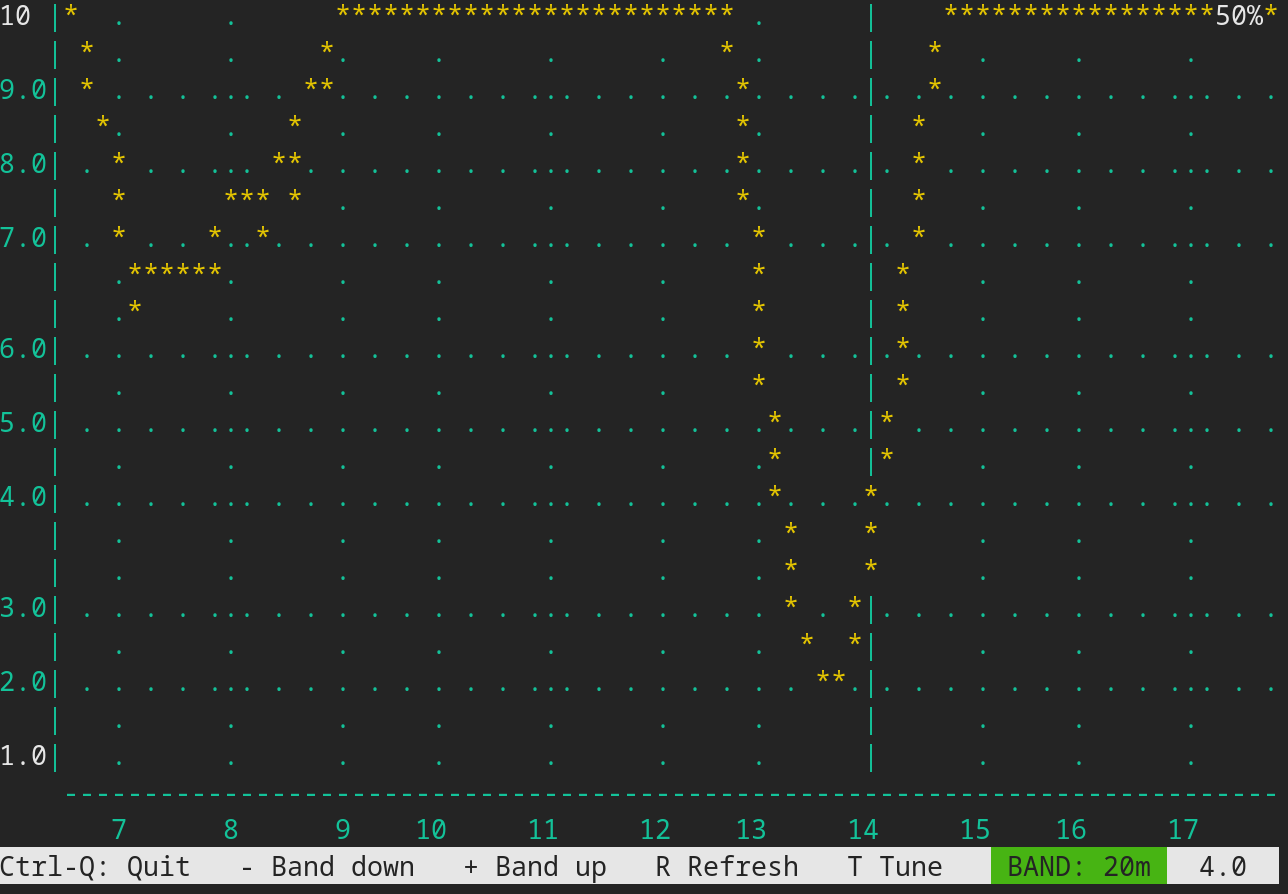
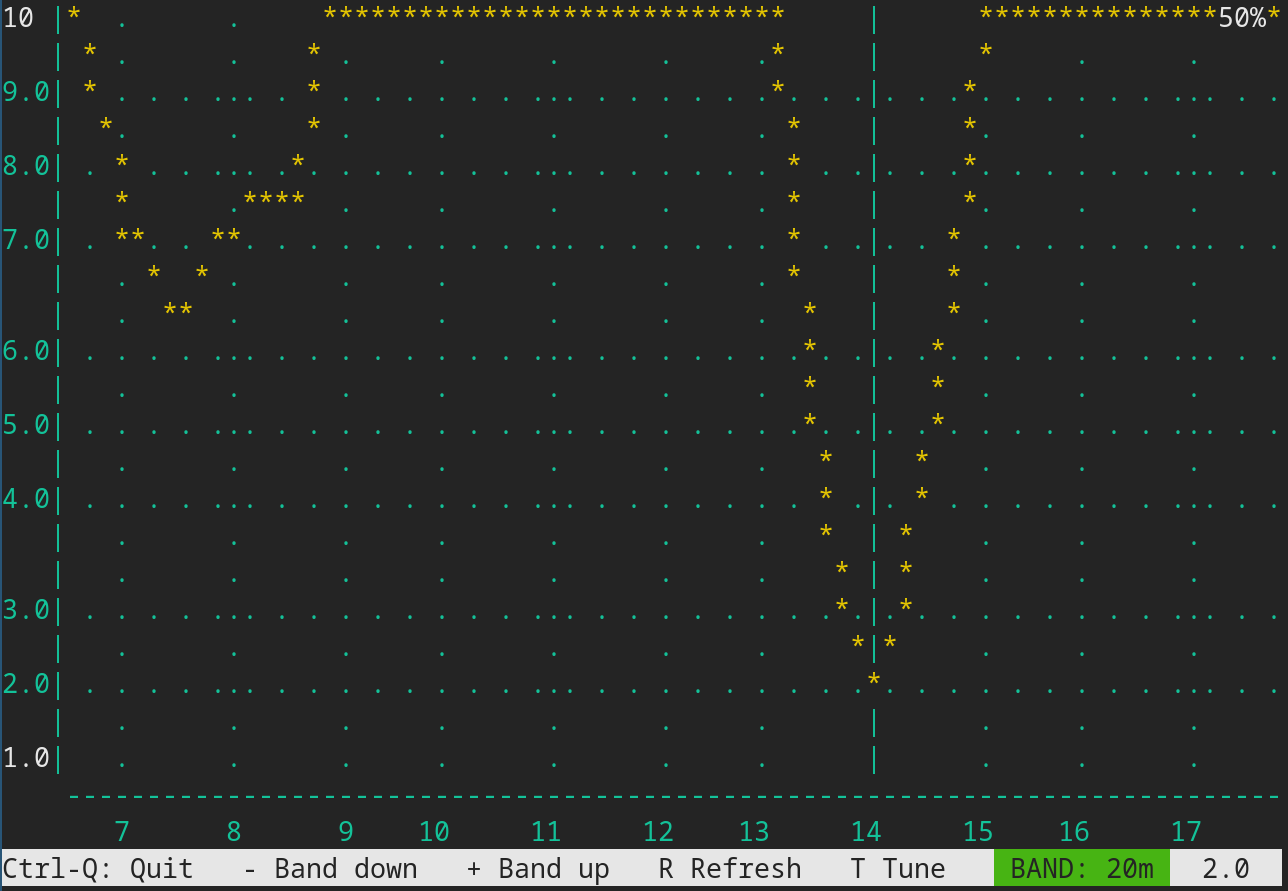
What’s the radio doing for this graph? It’s sending ‘a bit’ of high frequency towards the antenna, on various frequencies, that’s the X-axis. It’s then measuring how much is coming back. The vertical line is the frequency of our 20m band, so for tuning we need to get the value down for exactly that frequency area.
While SWR of 2 is not ideal, I decided to go with it for that day. The QMX+ has also an internal protection mechanism against high SWR. Another option here would be to use an ‘antenna tuner’, or a radio transceiver with internal antenna tuner, like various Elecraft radios.
Software Operation
Time to use the software, for example WSJTX.
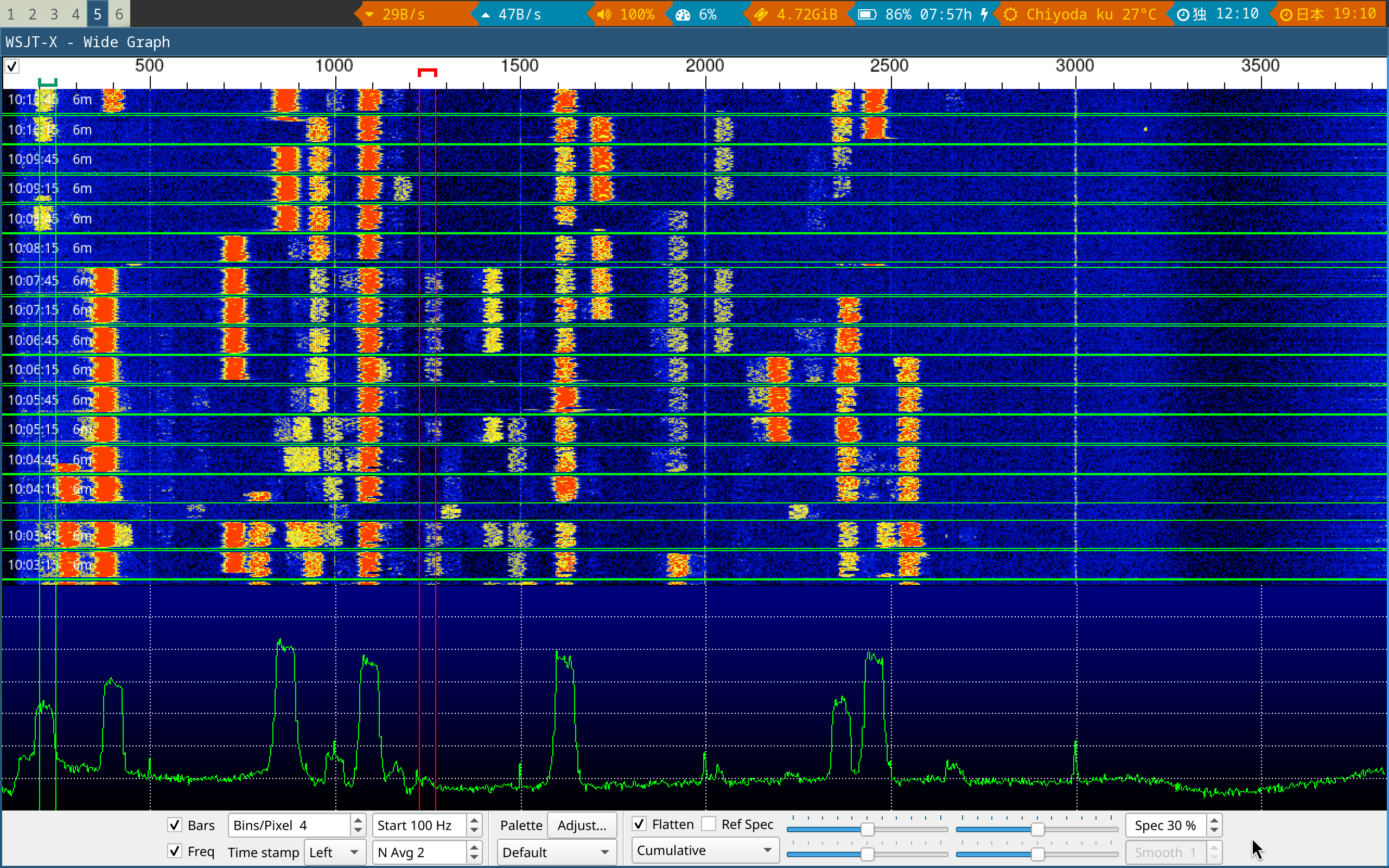
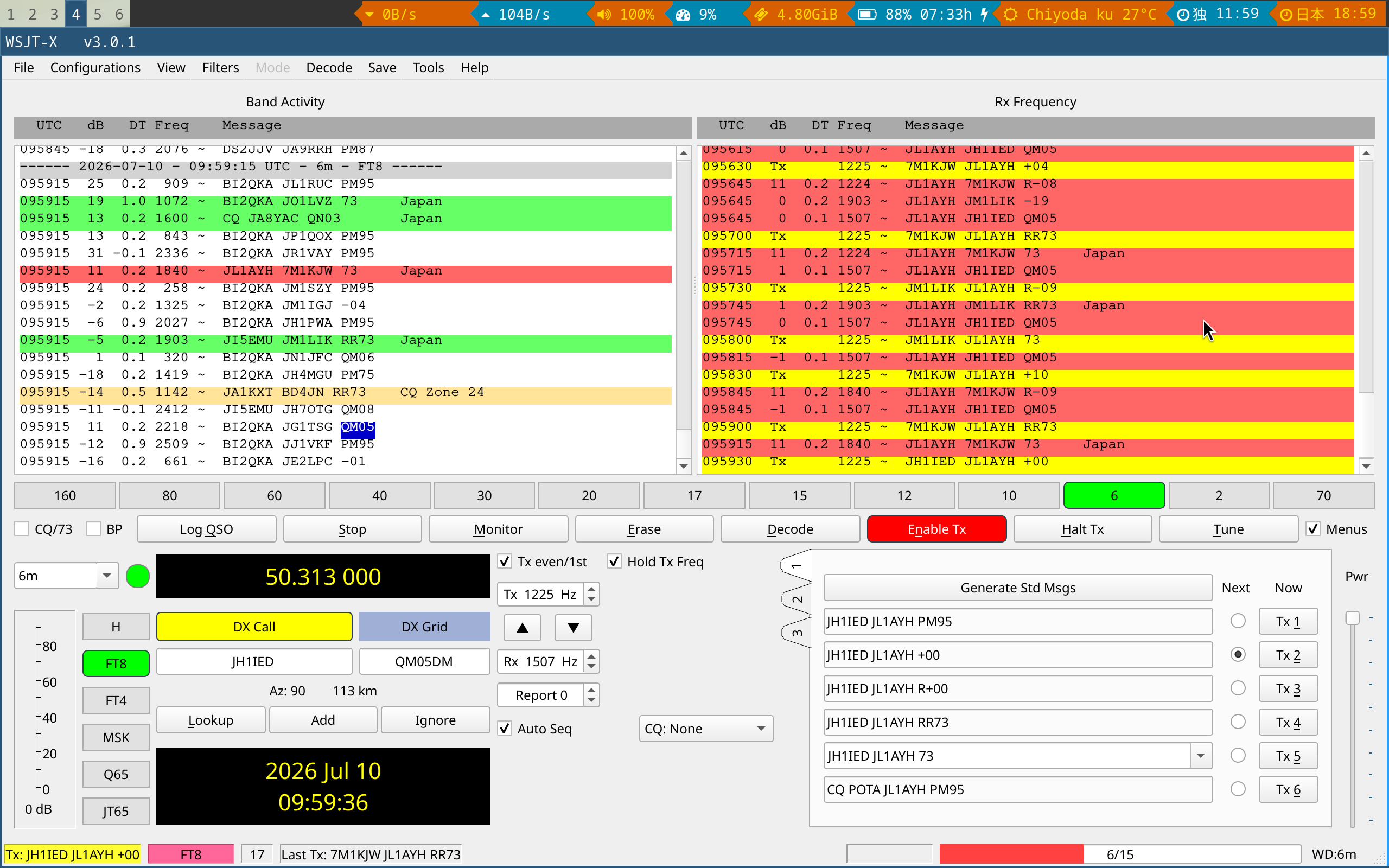
What do we see here? Left side screenshot: we see a frequency area. The software is looking at a whole area of frequencies, all in parallel. As if you could tune a classic radio to many stations at once. From the left to the right, the frequency is increasing. At the top, we have the mose recent data, and that’s then moving down. The amplitude at the bottom is also telling us in which area we have right now activity. The red/yellow pieces are signals, which the software does decode for us.
On the right side screen shot, we on the left side the messages which we received and decoded. The columns have time stamp, strength of the received signal, frequency, who was sending to whom, and the actual message. At the bottom of the right side we see what I was initially sending out/broadcasting: “CQ POTA JL1AYH JL1AYH PM95”. So “call to everybody, I’m doing Parks on the air. Callsign JL1AYH speaking, from the locator PM95”. It’s a Maidenhead Locator.
This was a generic call ’to all who could hear me’, to which I got replies from specific stations (hunters), which we see in the right window. A minimal exchange contains a signal report. I had in parallel announced my frequency/my activation on pota.app, and had actually stations lining up to do a complete connection exchange with me.
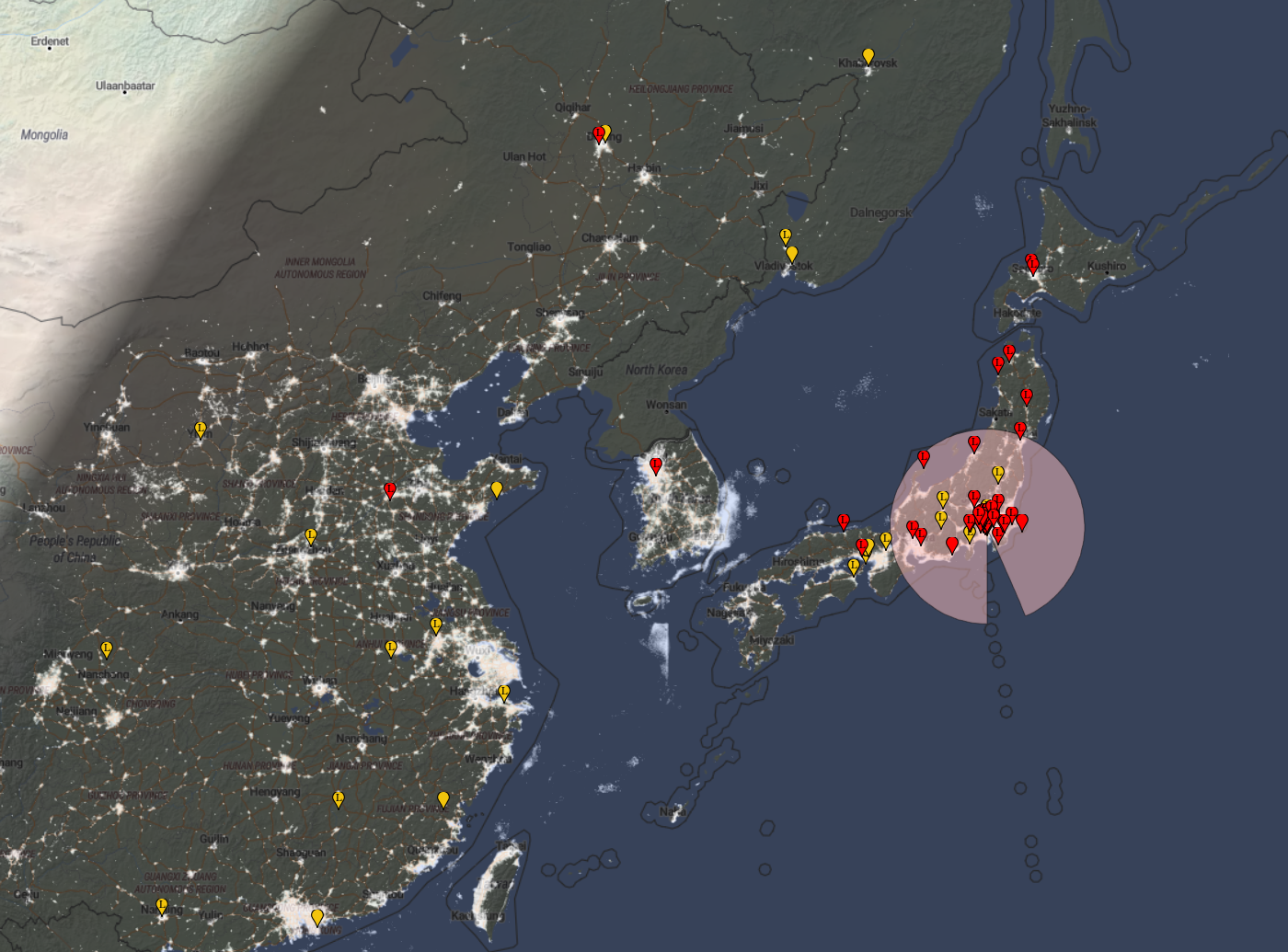
One further interesting thing about digi modes: they are easy to monitor. After some hours of operation, you can go to an internet site and check where all over the world your signal has been received!
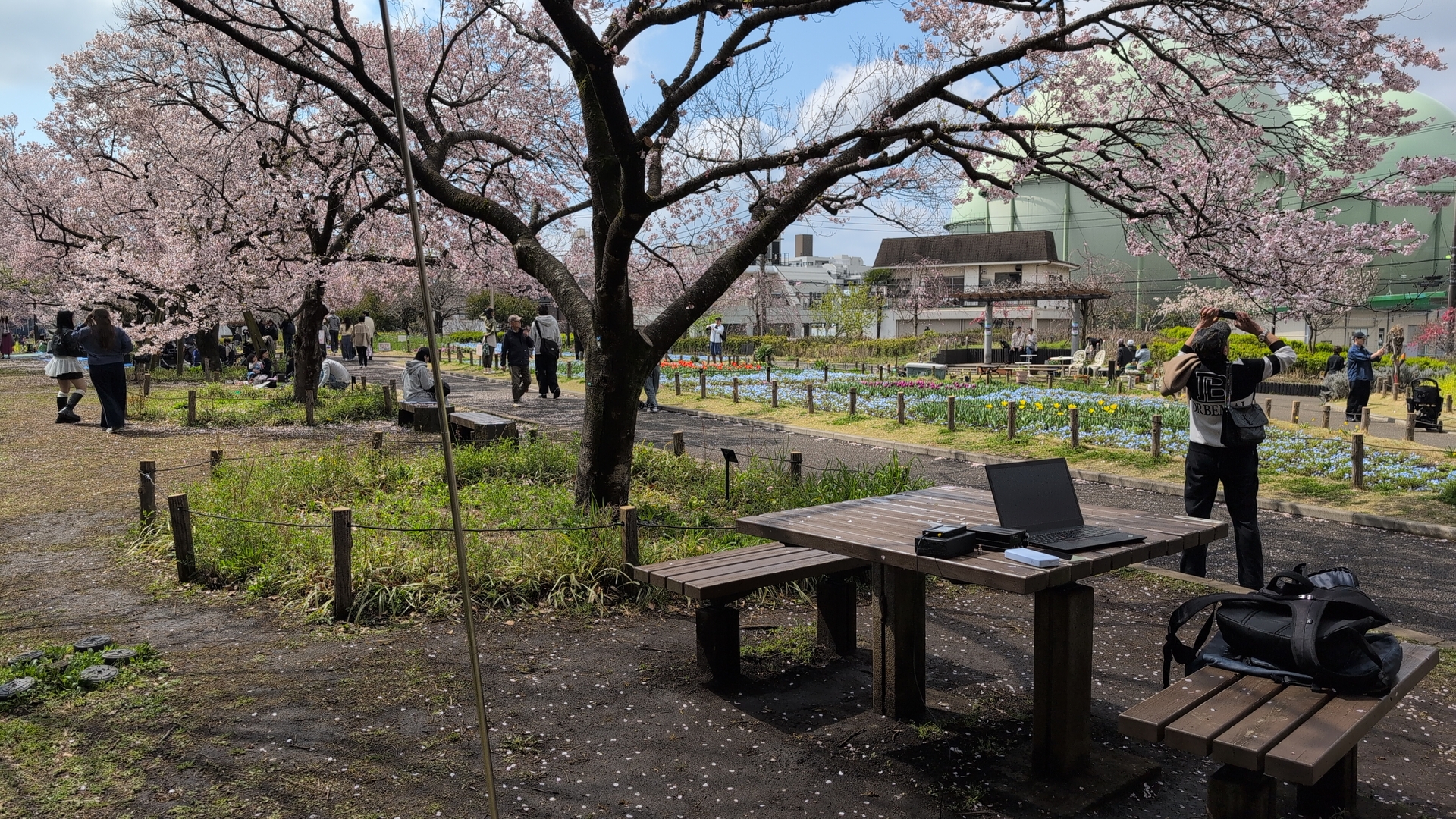
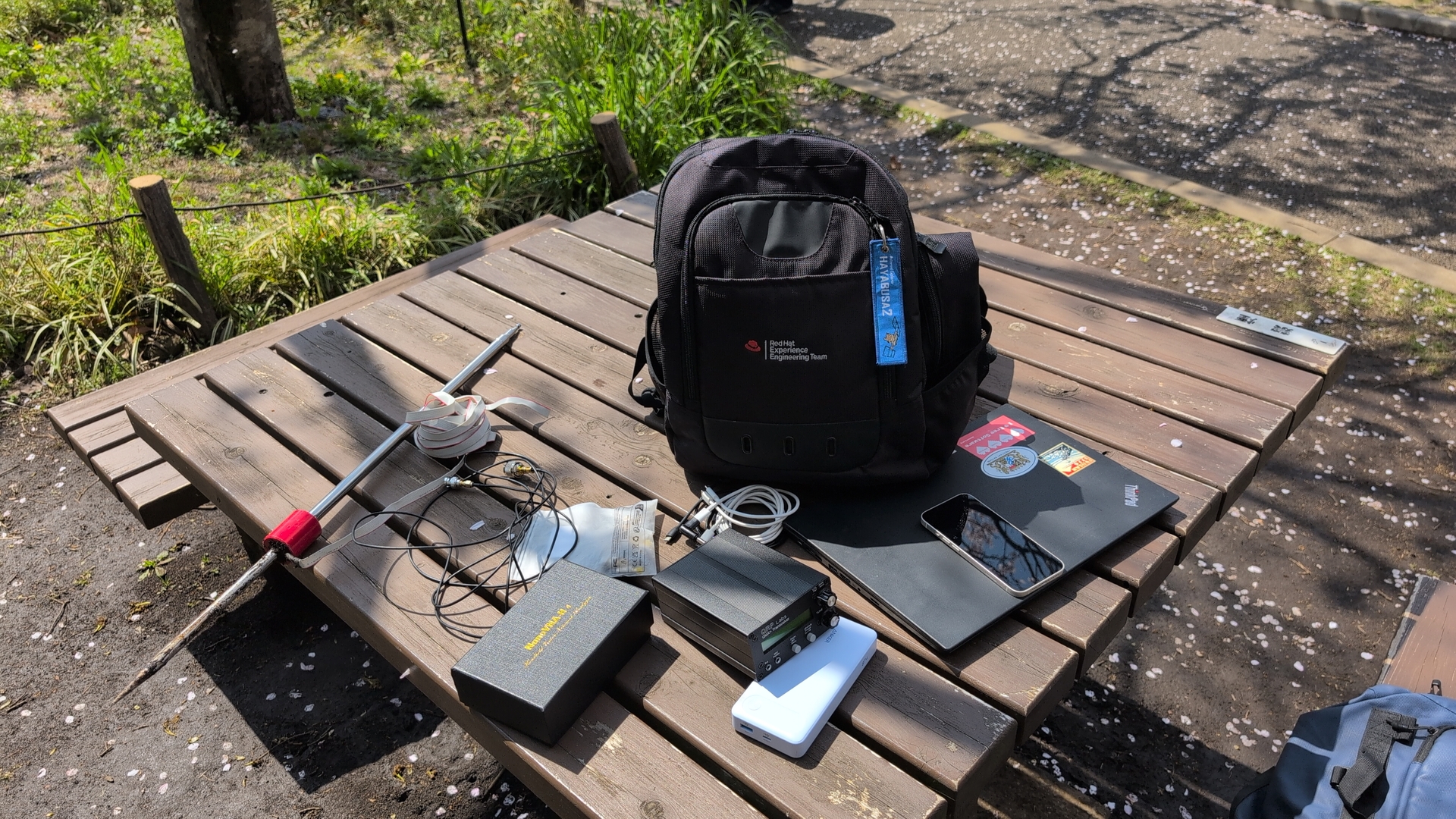
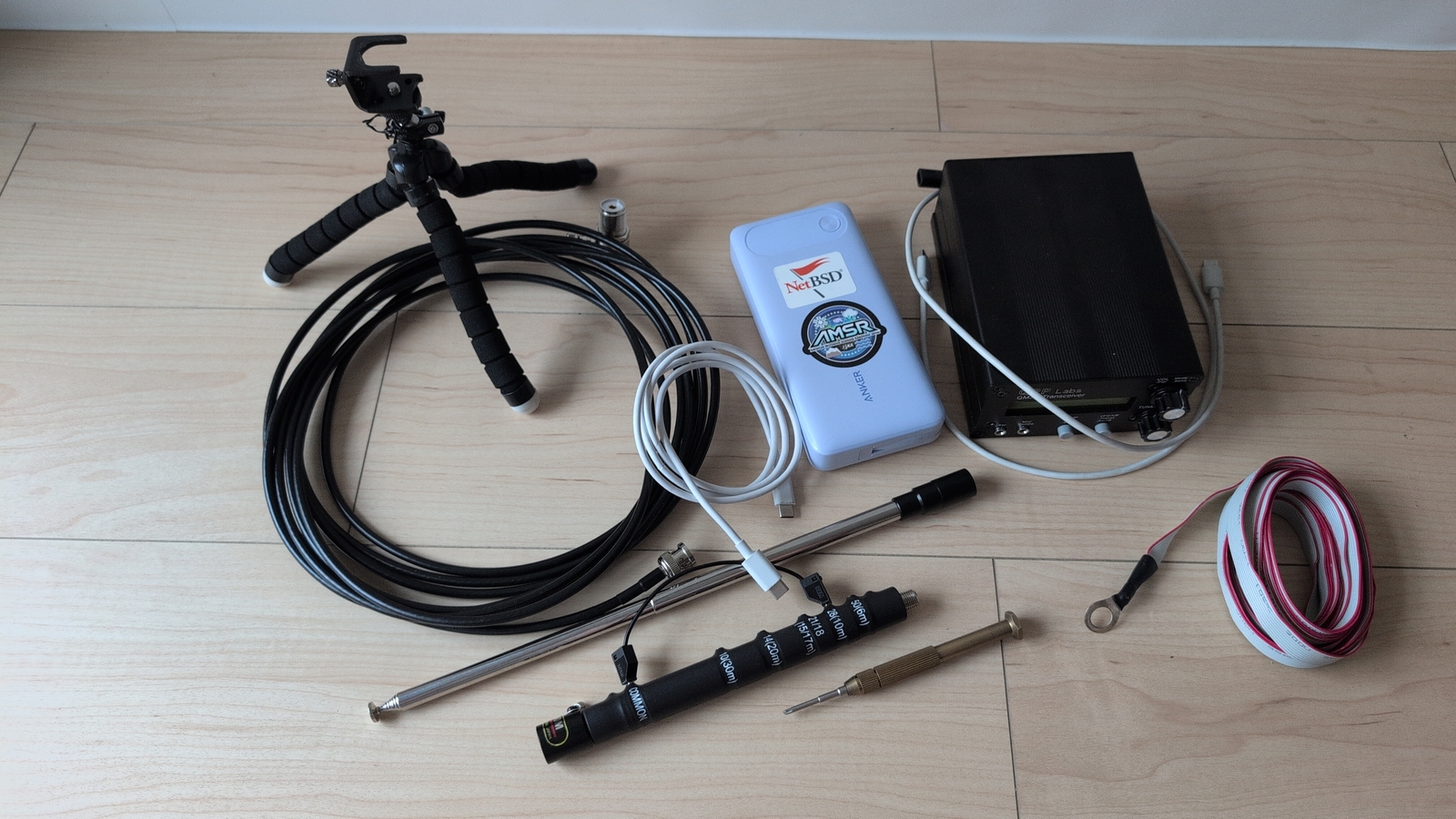
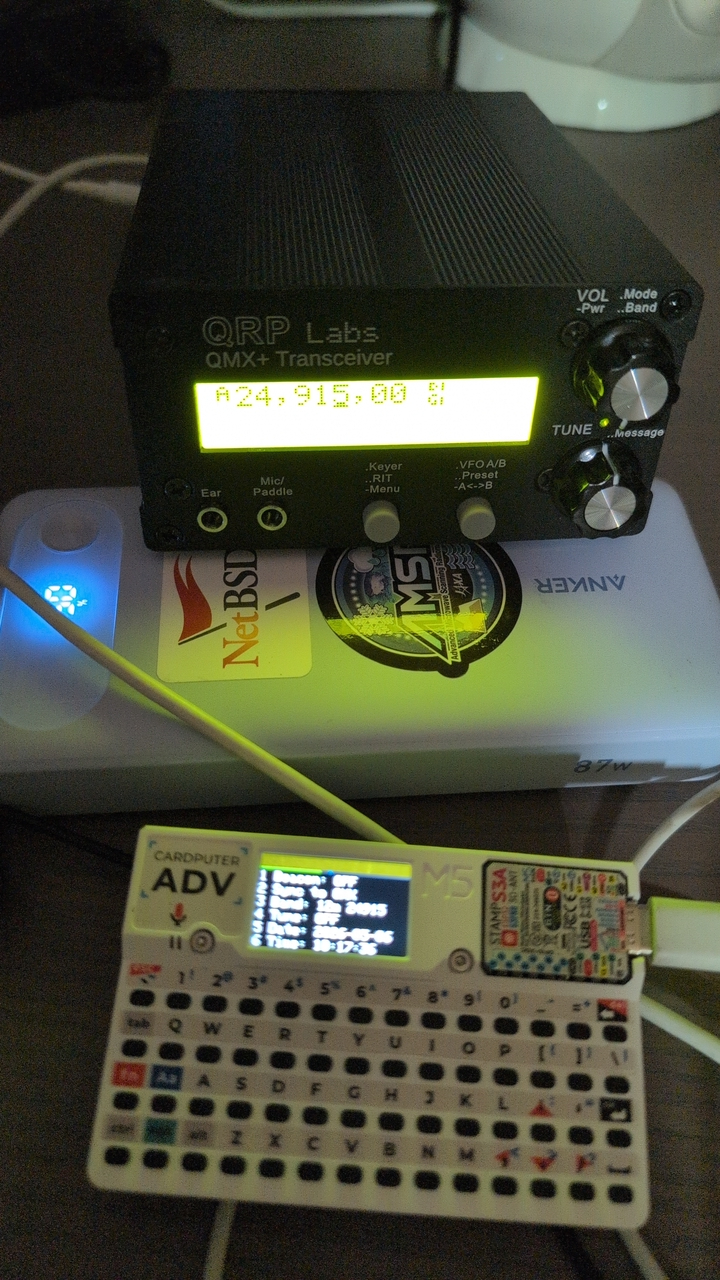
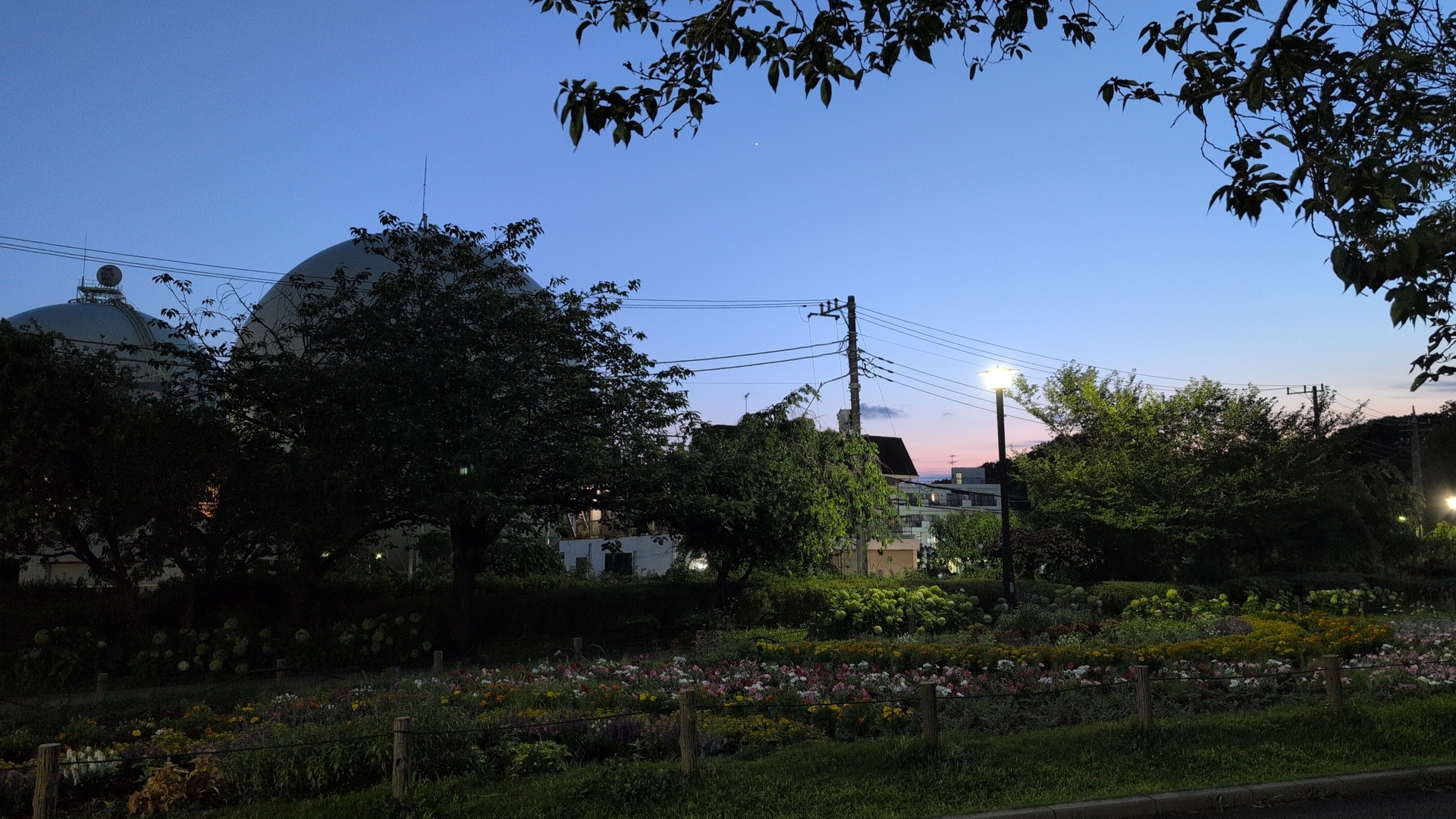
Pictures from the first POTA activation
Future optimizations
I hope to get a first SOTA activation together in the near future, and do more POTA.
- My battery is not optimal: I got a 20Ah piece - which turned out as having way to much capacity for what my transceiver consumes, so it’s more heavy than it needs to be. I see no good way to sell it though..
- Morse code: I’m learning since 1.5 years, progressing slowly. Aqquiring that skill, using it for POTA/SOTA would be great.
- Antenna: if I manage to found a family and live in a house, I can finally setup a proper antenna. For the portable ones, also improvements are possible.
For all of the topics in this article, we barely scratched the top of the iceberg. Pieces of what I learned in the last years are crammed into the article.. rabbit holes to dive into are behind all of these topics.
Let me close with a recommendation to watch one of Thomas/K4SWL’s POTA sessions, for example this one, I love the style. Park activations here in Tokyo are a bit different though, more people are around. :)
Corrections? Questions? -> Fediverse thread