


Since spring of this year I’m learning to pick up morse code, so to hear sequences of dits and dahs/long and short sounds, and interpret the characters they represent.
That’s progressing.. but it’s just covering the part of interpreting received morse code.
For sending, you would want to connect a morse key or paddle to the computer - I’m describing here a simple way to do this. Not really rocket science, but capturing it here for others.
Terms
- Morse code: a protocol to transmit characters as a sequence of two states, mostly as “short” or “longer” sounds.
- CW, “Continuous Wave”: another term for Morse code.
- dits/dahs: terms used for the “short” and the “long” sequences used in morse code. Morse code is a sequence is dits (signal for a short amount of time), dahs (signal over a longer amount of time) and blanks where no signal is sent.
- straight key or morse key: the device used to send out morse code. It’s producing a dit when pressed for a short time, and produces a dah when pressed for a longer time, ideally 3x the time of a dit.
- paddle is a device with 2 buttons. As long as the first button is pressed, ‘dits’ are produced. As long as the second button is pressed, ‘dahs’ are produced.
Requirements
I wanted to do this as simple and as cheap as possible:
- a USB mouse: I got one from Hard Off in Japan, for the equivalent of 1 or 2€. The mouse keys have to be working.
- a straight key: I’m using the cheapest one I could find on aliexpress for below 10€.
- a cable with 3.5mm cinch headphone connectors on both ends, these are the normal plugs used for headphones. A cable like this came with the straight key I receved, it can be used to connect the key to radio transmitters
- solder iron, solder lead, solder flux/fluid
- circuit indicator (german: Durchgangsprüfer). I’m using a multimeter for this, but any simple loop with for example a power source and a lamp to indicate if the circuit is closed would also work
Connecting
I’m using DJ5CW’s page Learn CW Online for learning to listen to morse code, and it also has this section which interprets a pressed mouse button like a pressed morse key. We want this functionality with out morse key.
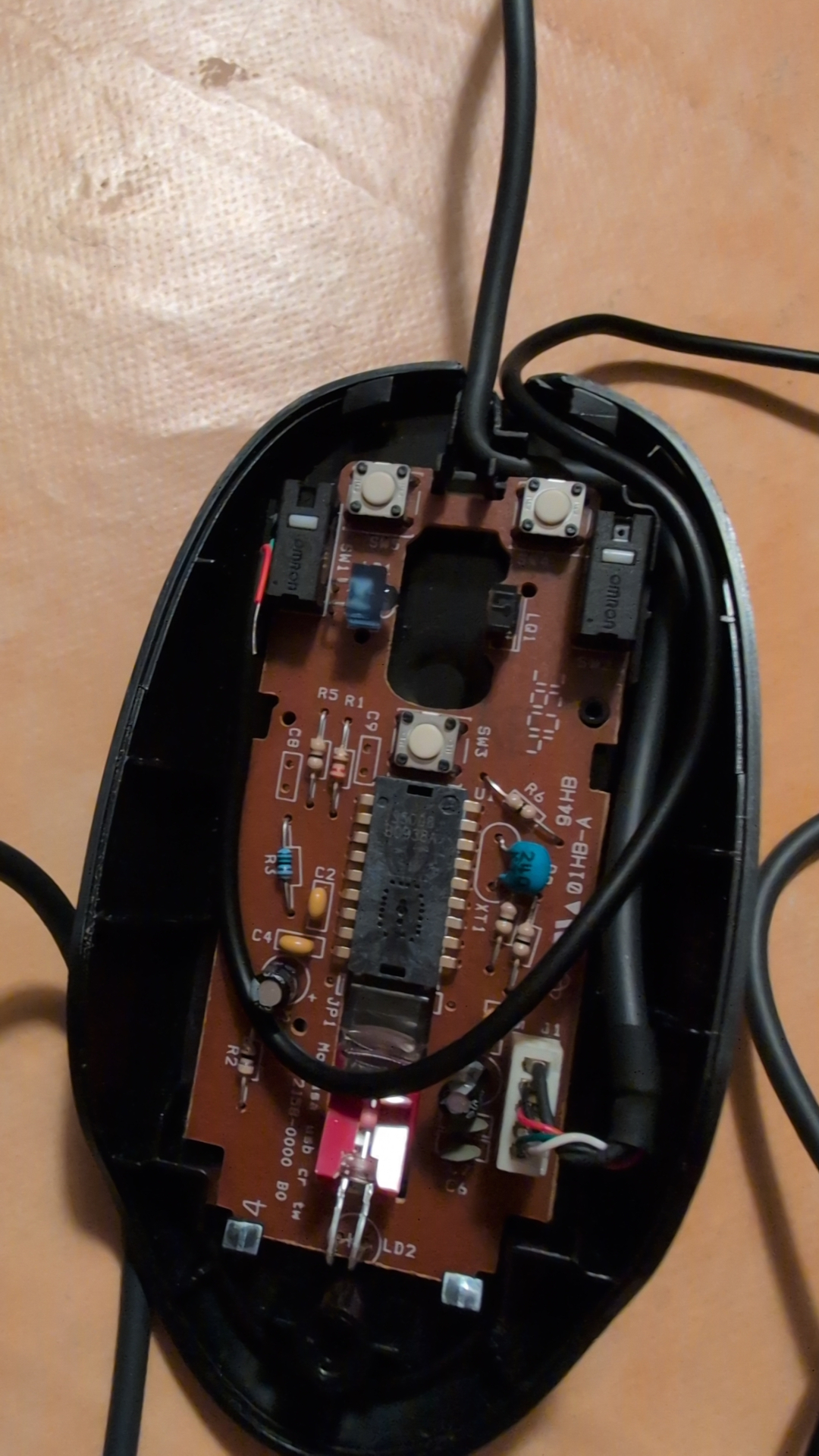
After opening up the mouse, locate the 2 switches which get pressed as the mouse buttons are pressed. Here these were at a circuit board, on the back side of the board I saw multiple soldered contacts for each of the 2 switches. Using the circuit indicator, I evaluated which of these contacts were not shortened when no button was pressed, and which were shortened when the mouse button was pressed.
Next, I cut the cable with the 3.5mm connectors into 2 pieces. Three cables appeared, with the circuit indicator I confirmed which 2 of these get shortened while pressing the morse key. I soldered these 2 cables onto the 2 contacts at the mouse circuit board.
With that, pressing the morse key is leading to the same result as pressing the left mouse button.
I had also ordered the cheapest morse paddle. After dissecting it, it works in shorting one line to one of the 2 other lines, as one of the 2 paddles gets pressed - after more testing with the circuit checker I found the fitting third contact at the mouse board and soldered the third cable.
As container, I’m reusing the shell of the mouse with the scroll wheel removed and an additional opening for the second cable which is connected to the morse key or the paddle.
I’m using this from Linux, but as this is simply an extended way to trigger what the mouse button does, it will work with all operating systems.

Corrections? Questions? -> Fediverse thread